Orchard Harvest Program, Dynamic Fields - This week in Orchard (03/10/2025)
The full Orchard Harvest 2025 program is live! The topics for this week are to add an Elasticsearch response to the search results and move Hint and Required properties to FieldSettings. See a demo of the new Dynamic Fields module!
Orchard Core updates
Move Hint and Required properties to FieldSettings
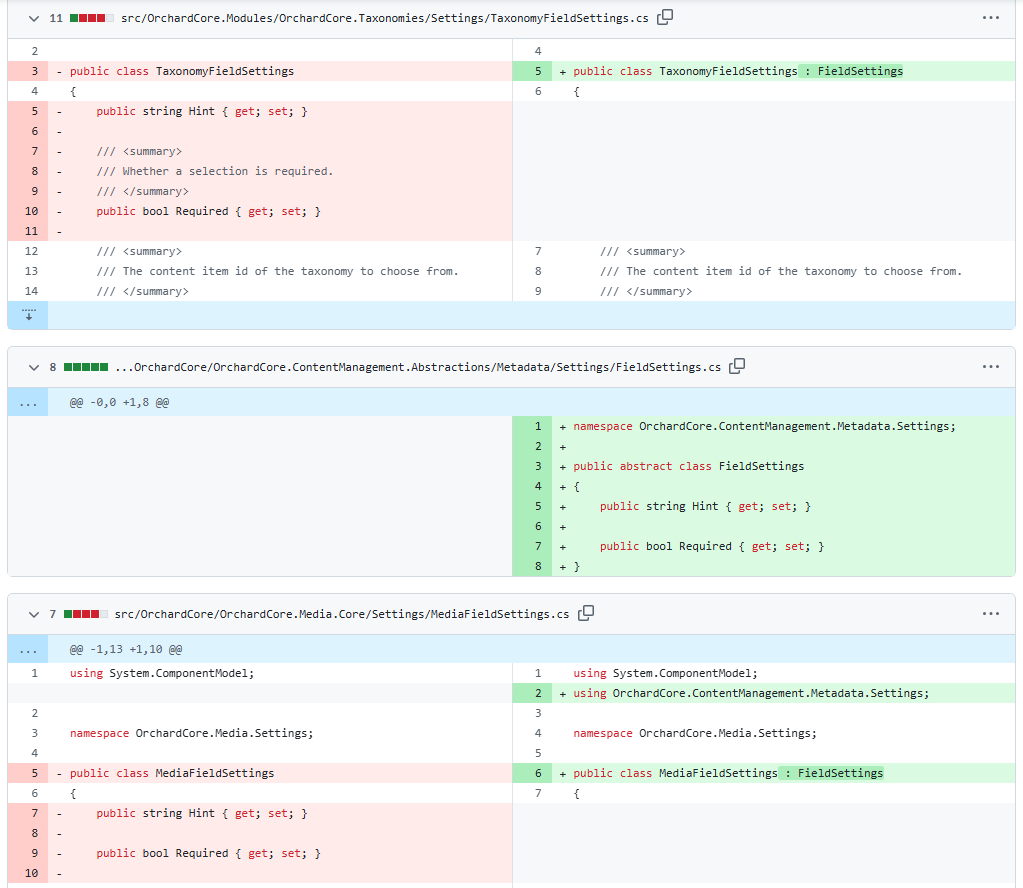
Here, you can see a refactoring where the Hint and Required properties for the Content Fields are moved to a new base called FieldSettings. Therefore, from now on, if you are implementing a class for your own custom field, you no longer need to add the Required and Hint properties repeatedly; you can use the FieldSettings base class instead.
Add Elasticsearch response to the search results
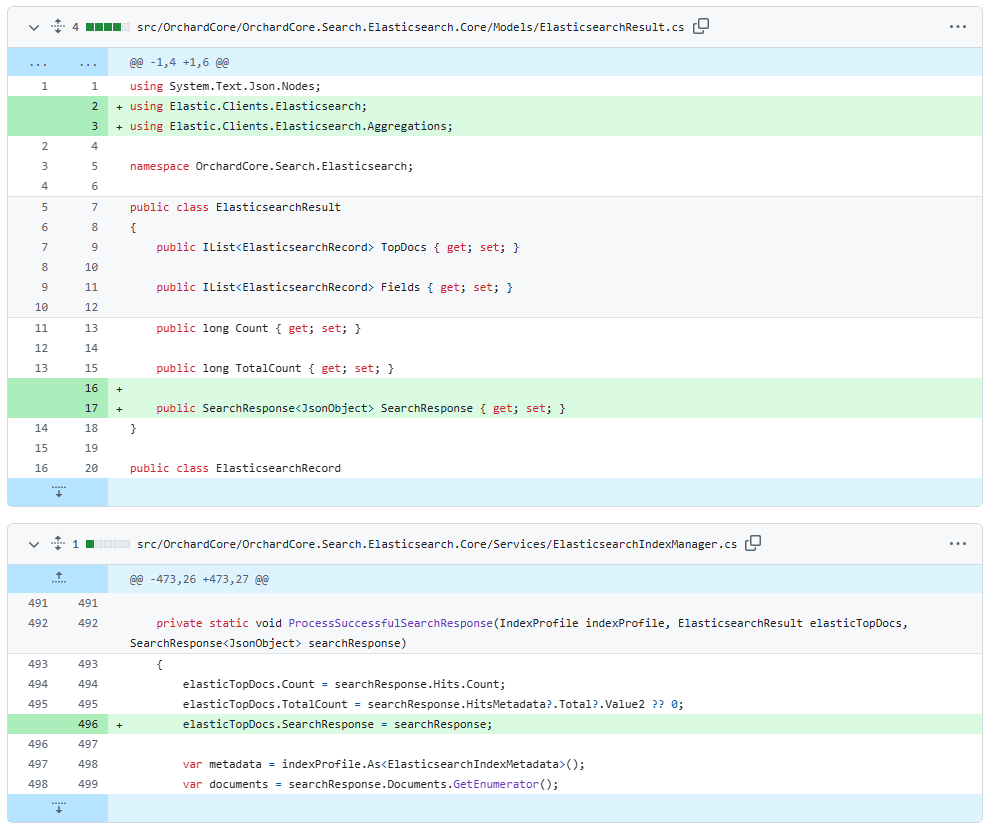
Before this change, we had a way to return documents, but in some cases, you may want to query other Elasticsearch resources that are not documents, such as Aggregations. The SearchResponse provides the raw response, allowing you to obtain more information.
Therefore, this change will enable users to retrieve any additional values from the response, such as when searching using Aggregations, as we mentioned earlier.
Here, you can see that the ElasticsearchResult class now has the SearchResponse property, which stores a JsonObject utilized by the ProcessSuccessfulSearchResponse method of the ElasticsearchIndexManager.
Demos
Dynamic Fields
Today, in Orchard Core, we have several fields that are static compared to this feature. It means once we change them, we have to build the project and restart. By using Dynamic Fields, you can configure the editor when editing the content item, directly within the visualization itself. All from the admin. This way, you don't have to create new types of fields in code; you can specify that you want a dynamic field, and using the admin UI, you can define the editor and the display view of the field.
So, Dynamic Fields is a custom Orchard Core module that introduces a flexible new field type. Unlike standard fields, it allows you to define rich, fully interactive editors using vanilla JavaScript—without writing or redeploying backend code. You can easily wrap existing JavaScript components into a Dynamic Field and use them directly within your content types.
To check it out quickly, we cloned the GitHub repository created by Dawid Lamperski, which contains an Orchard Core solution with the Dynamic Fields module, and set up our site using the Blog recipe. Once we have that, we need to navigate to the admin UI and enable the module called Dynamic Fields under Configuration -> Features.
Our goal is to add a simple Text Field to our Blog Post using the Dynamic Fields module. To do that, we navigated to Content -> Content Definition -> Content Types and edited the Blog Post content type. We have attached a new Dynamic Field called My Dynamic Field. Now, we can navigate to the editor definition of this field.
First, we defined how this field should look on the editor page by adding the following HTML into the Code textarea.
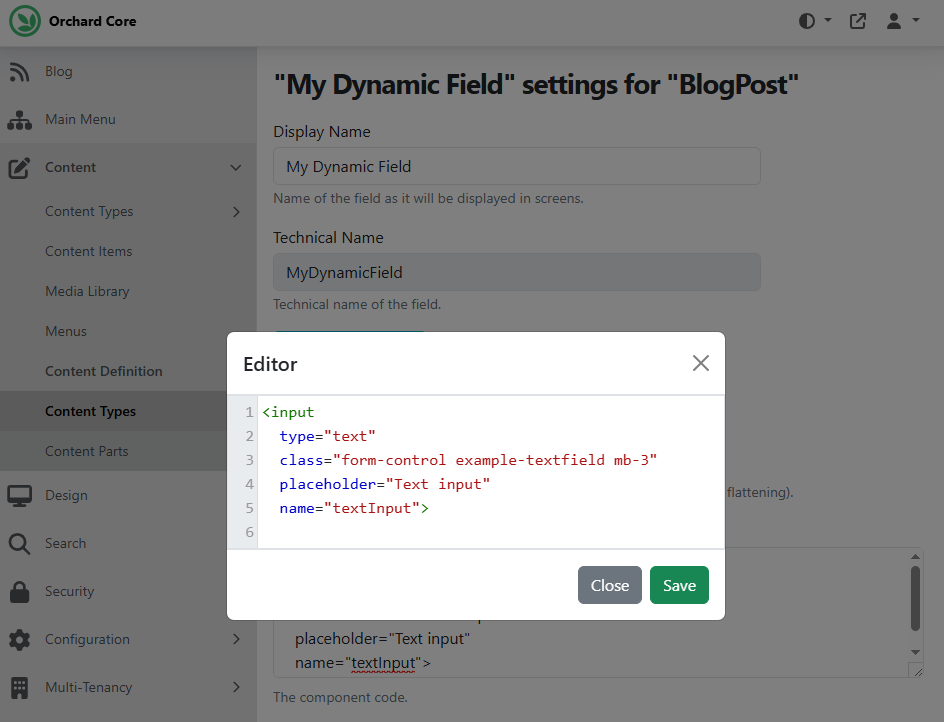
As you can see, this HTML in our DynamicField editor definition is just about to render a text field.
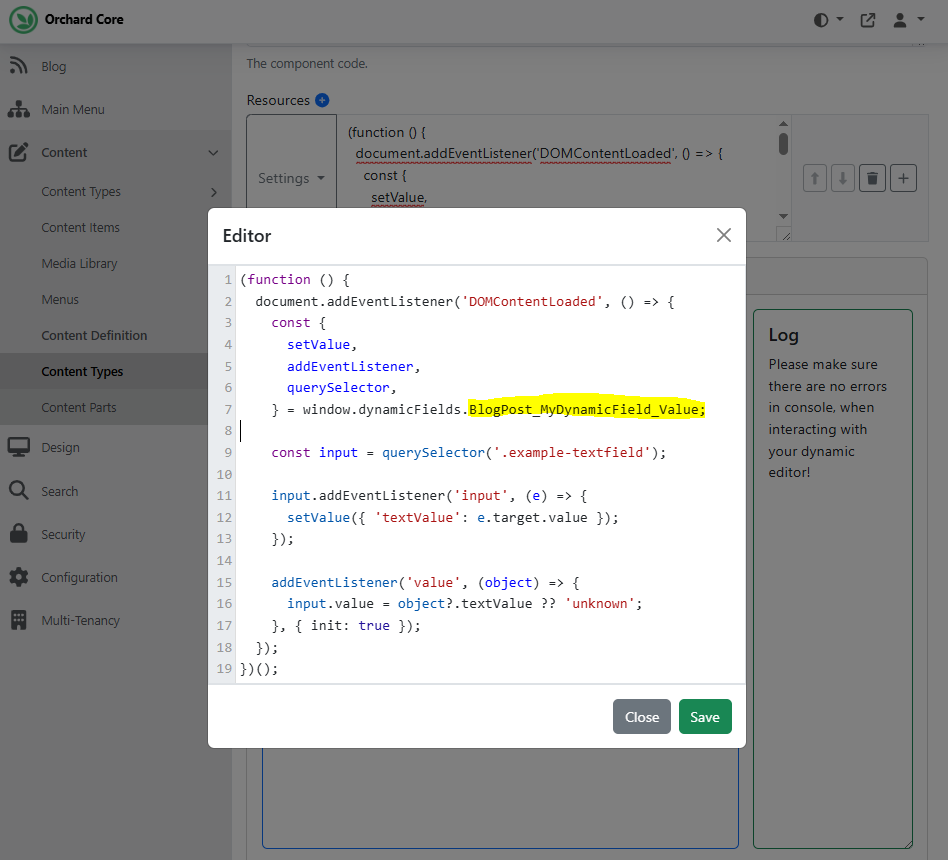
After that, we added a JavaScript snippet to connect our input field to the DynamicFields runtime. To do that, we clicked on the plus icon near Resources and typed the following script into the editor.
You can find a Settings drop-down menu before each resource, where you can define the resource type, placement, configuration, etc. The resource type in our case would be Script, we want to place it in the Foot, and we want this to be an inline script.
We must ensure that the namespace matches the field's actual definition. If you check out line 7, you can see the line window.dynamicFields.BlogPost_MyDynamicField_Value;, where the BlogPost is the name of our content type and the MyDynamicField is the name of our content field.
As you can see, the setValue (line 12) is responsible for saving the user input into the field's data store, and the addEventListener('value') (line 15) is responsible for loading and setting the input's value when editing.
Once set up, our dynamic text field will:
- Appear in the content item editor UI.
- Store input dynamically using JavaScript.
- Restore values on load.
- Be fully customizable via HTML and JS.
And we are done! You now have a working custom Dynamic Field that behaves like Orchard Core's native Text Field — but with full flexibility thanks to HTML + JavaScript. Once we edit our predefined Blog Post content item, you will see the new Text Field there. Try to enter something in it and publish it!
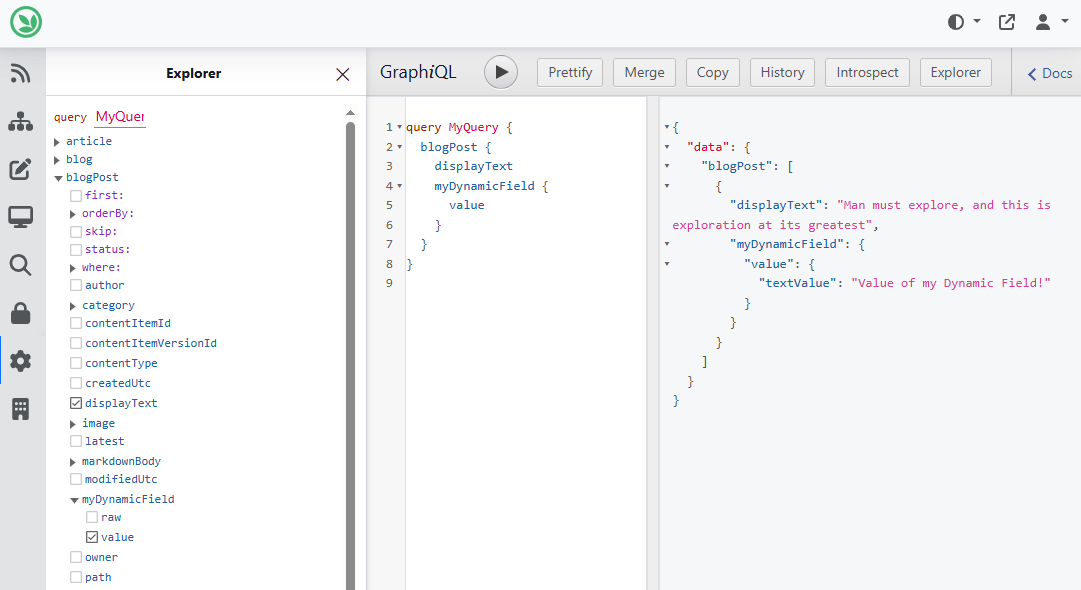
We can also use GraphiQL to retrieve the value of our field. As you can see, we listed our Blog Post content item with the displayText and, of course, with the value of the recently added dynamic field.
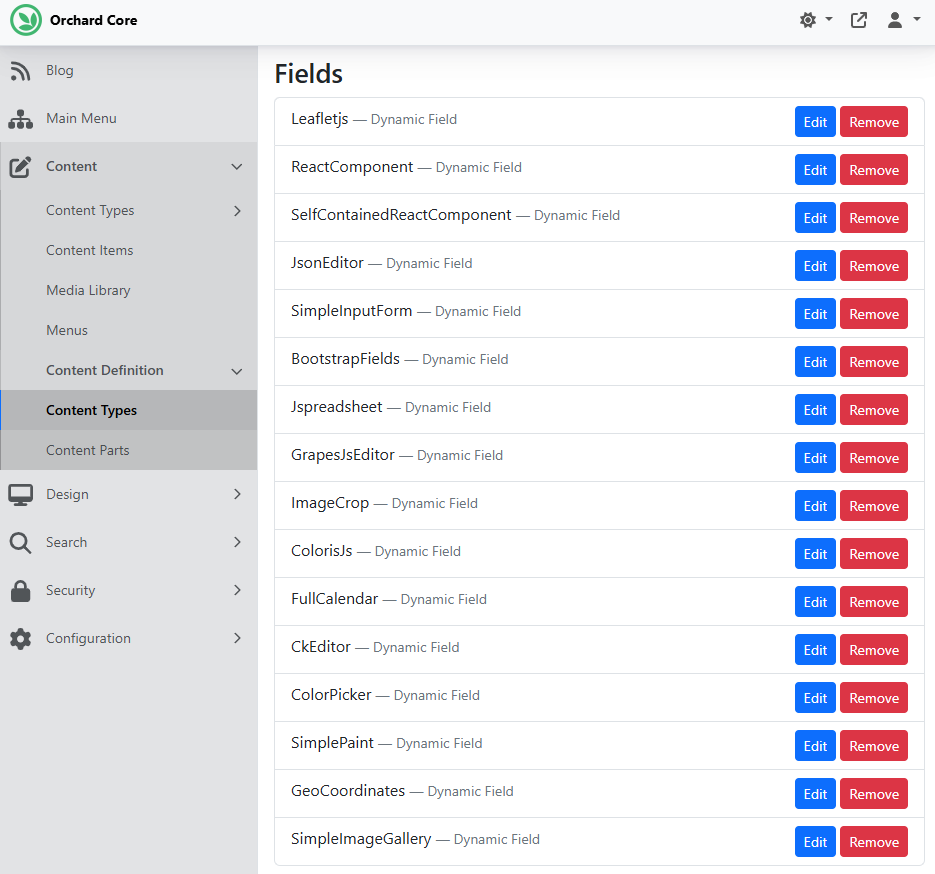
For more examples, visit the repository mentioned, which includes several examples to showcase the flexibility of dynamic fields. The module also contains a recipe (dynamic-fields.recipe.json), which you can execute to create a content type called DynamicFieldsExamples with several dynamic fields added.
And as always, you can find a recording on YouTube showcasing this module by Dawid Lamperski!
News from the community
Orchard Harvest 2025 program
The Orchard Harvest 2025 conference will be held in Prague, and we look forward to seeing you all this autumn in the Czech Republic, in the heart of Europe. Our confirmed dates for this year are November 11th and 12th. Secure your early-bird tickets to the conference, taking place November 11-12, 2025, in Prague at the Botanique Hotel Prague, a modern hotel inspired by nature with a green approach in the city centre.
Don't miss this limited-time offer: just $250 for two days of all-access learning and networking. Get your tickets here!
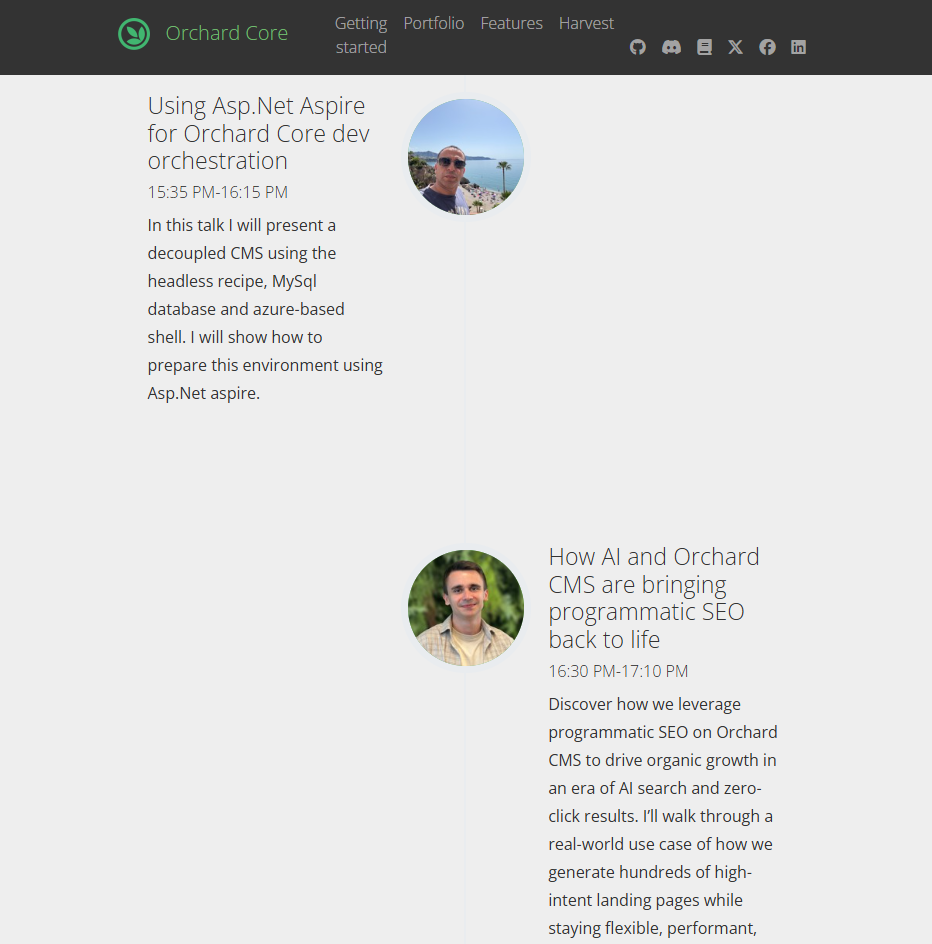
The full Orchard Harvest 2025 program is live! Be sure to check out the updated official website of the conference for the program!
As we move forward, we will keep community members informed of the details, and you will find every detail in this newsletter, too!
Don't miss the biggest Orchard Core event of the year!
Orchard Dojo Newsletter
Lombiq's Orchard Dojo Newsletter has 443 subscribers! We have started this newsletter to keep the community around Orchard informed about the latest news on the platform. By subscribing to this newsletter, you will receive an email whenever a new post is published to Orchard Dojo, including 'This Week in Orchard', of course.
Do you know of other Orchard enthusiasts who would like to read our weekly articles? Tell them to subscribe here!