Orchard Core Just Got a New Home, Content Version Pruning Feature - This week in Orchard (31/07/2026)
Ever wondered how much storage your content version history is quietly eating? A new background task now prunes old, superseded versions automatically.
Curious about a faster way to add and configure parts and fields in the content editor? New Add & Configure and Save & Configure buttons cut out the extra round-trip.
Did you catch that the new Orchard Core website is live, built on vanilla Orchard Core with double-A accessibility?
And curious how a few lines of config can swap out a custom login flow for Microsoft SSO?
This week we've got all four, courtesy of PUXVSE (their first contribution!), Mike Alhayek, and Nick Jackson.
Orchard Core updates
Content Version Pruning Feature
The new Content Version Pruning feature provides a background task that periodically deletes old archived content item versions; versions that are neither the latest nor the published one. On sites that are edited often, every save or publish leaves the previous version behind in the database. Over time, these accumulate, growing the storage footprint and slowing version-history queries. Pruning keeps that history bounded. The latest draft and the published version of an item are never deleted; only superseded (archived) versions are eligible.
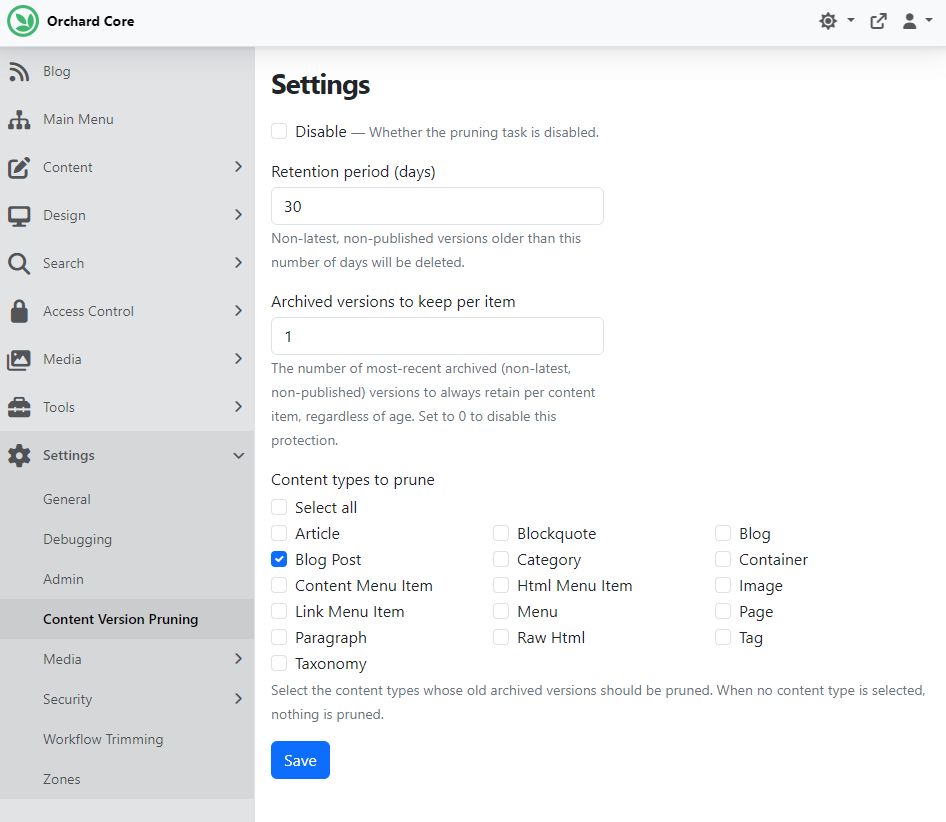
To try it out, head to Tools -> Features and enable the Content Version Pruning feature. After that, you will find a new settings page under Settings -> Content Version Pruning, where you can configure its behavior. As you can see, you can configure the retention days for content item versions, automatically pruning old, non-latest, and non-published versions while keeping at least one version per item, with options to specify which content types to prune.
Here we said to prune the non-latest, non-published versions of the Blog Post content items that are older than 30 days, while keeping one version of the most recent archived versions, regardless of age.
Deletions are flushed in batches to keep the unit of work bounded, and a failure to delete one version is logged and skipped without aborting the run.
Note that pruned versions are permanently removed from the database and cannot be restored. Choose a retention period and version-keep count that match your audit and rollback needs before enabling the task.
Thanks, PUXVSE, for your first contribution, and Antoine Griffard for the documentation!
New "Add & Configure" and "Save & Configure" buttons in the content editor UI
This change by Mike Alhayek lets you add a content part or a content field and configure it in one step, instead of adding it first and then hunting for it again to set it up. It introduces new Add & Configure and Save & Configure buttons to the content editor, with more dynamic controls and clearer feedback, and updated backend logic to support the new flows. The Add Selected Parts button in AddPartsTo.cshtml is now only visible when at least one part is selected, with dynamic show/hide logic via JavaScript.
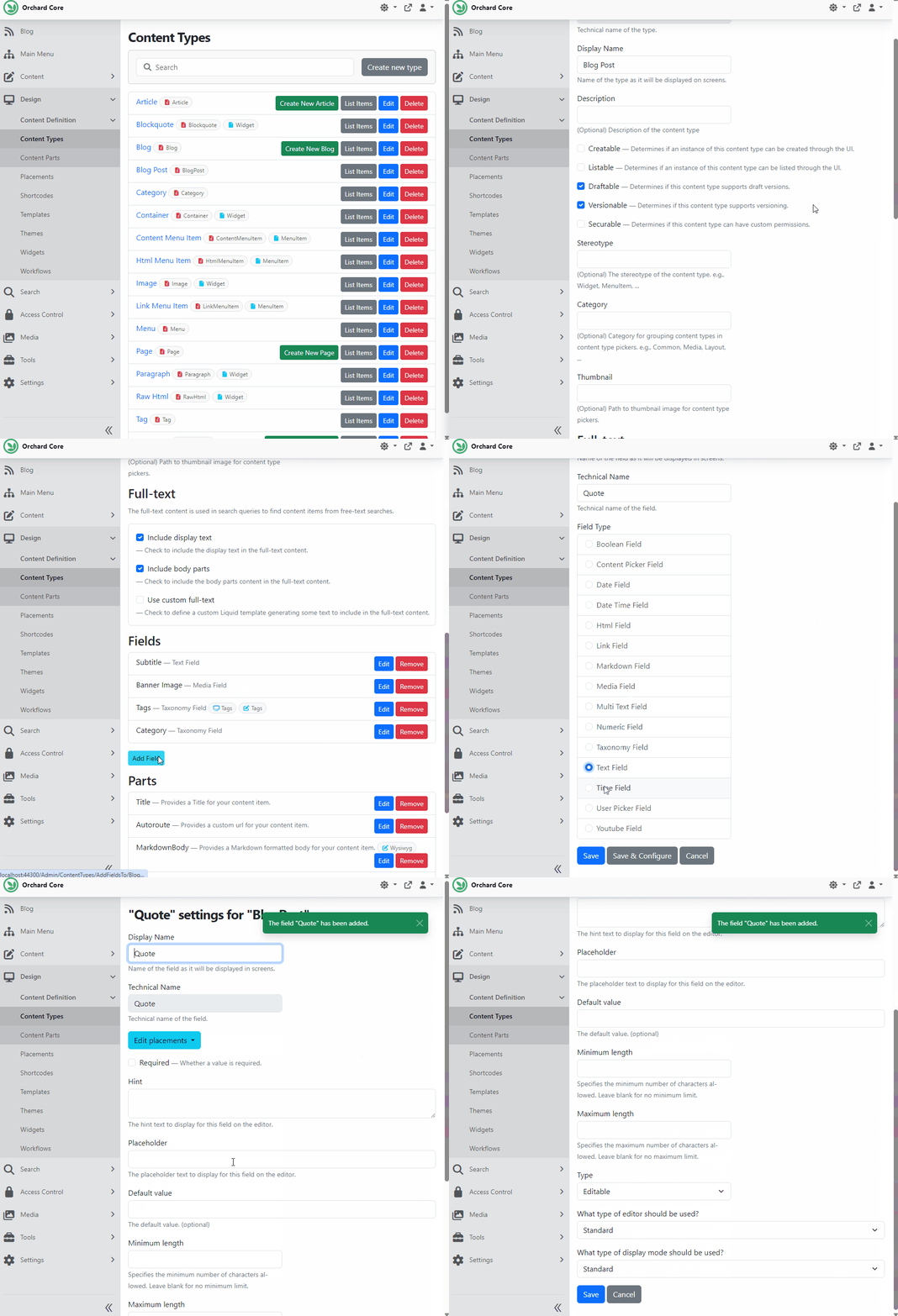
Here we have a site set up with the Blog recipe, and we want to add a new Text Field called Quote to the predefined Blog Post content type. To do that, we need to navigate to Design -> Content Definition -> Content Types and hit Edit near the Blog Post content type. Then hit the Add Field button, select the Text Field, and click the Save & Configure button to immediately configure the newly added field.
Demos
Orchard Core Just Got a New Home
Over the past two weeks, you could see demos of how the community shaped the Orchard Core website, including the page that promotes Orchard Harvest.
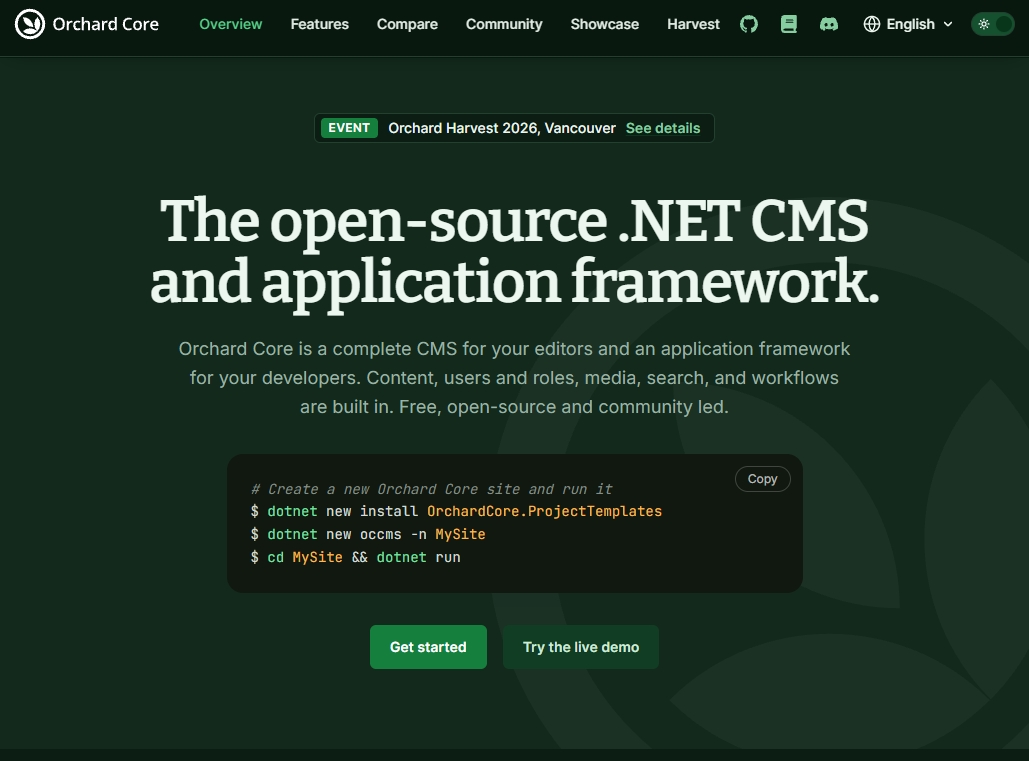
The new Orchard Core website is live! Nick Jackson demoed the final version, walking through the technical build and the content updates.
The site is built on vanilla Orchard Core (upgraded to Orchard Core 3), with only the Tailwind module added for styling; external modules were intentionally left out to keep the implementation clean. Highlights include automated daily NuGet download stats via workflows, clickable speaker bios, historical Orchard Harvest event pages, and a "stay up to date" section. The site also hits double-A accessibility standards with strong Google Lighthouse scores on both mobile and desktop.
Thanks again to Nick Jackson for the build, and to the whole team for the feedback that shaped it!
Check out the recording and let us know what you think!
News from the community
Sign in with Microsoft: SSO for Orchard Core
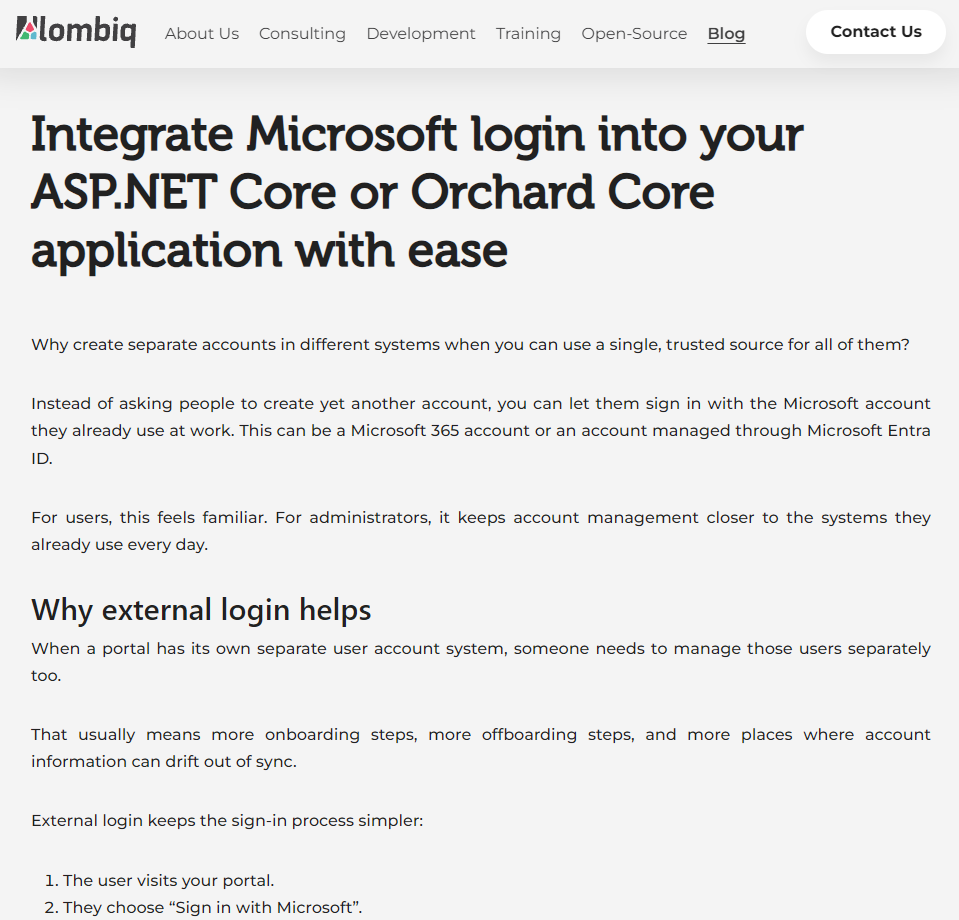
Tired of making users juggle yet another username and password? Our article shows how to plug Microsoft sign-in (personal accounts or Entra ID/Microsoft 365) straight into your ASP.NET Core or Orchard Core app, so people log in with credentials they already trust, while Orchard Core keeps full control over roles and permissions behind the scenes.
You can test-drive the whole flow on DotNest without writing a line of custom code. Check out the official documentation, or contact us if you want help wiring Microsoft SSO into your app or portal.
Orchard Harvest 2026 Program
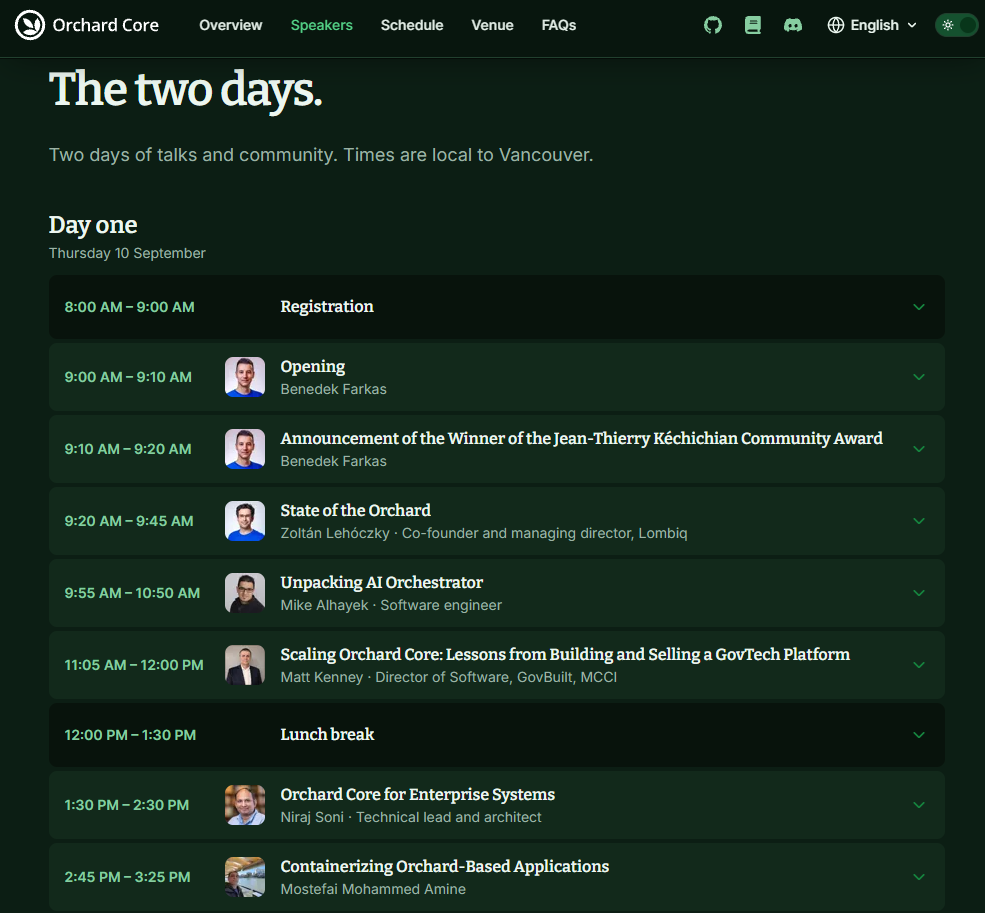
The Orchard Harvest 2026 conference will be held in Vancouver, and we look forward to seeing you all this autumn in Canada. Our confirmed dates for this year are September 10th and 11th.
Don't miss this limited-time offer: just $280 for two days of all-access learning and networking. Secure your early-bird tickets to the conference now!
The full Orchard Harvest 2026 program is live! Be sure to check out the conference's updated official website for the program!
As we move forward, we will keep community members informed of the details, and you will find every detail in this newsletter, too!
Don't miss the biggest Orchard Core event of the year!
Orchard Dojo Newsletter
Lombiq's Orchard Dojo Newsletter has 413 subscribers! We have started this newsletter to keep the Orchard community informed about the latest platform news. By subscribing to this newsletter, you will receive an email whenever a new post is published to Orchard Dojo, including 'This Week in Orchard', of course.
Do you know of other Orchard enthusiasts who would like to read our weekly articles? Tell them to subscribe here!