OpenApi, Visual Layout Editor improvements - This week in Orchard (18/09/2026)
Want interactive API documentation without hand-writing a schema? Orchard Core v4 is getting a new OpenApi module with Swagger, ReDoc, and Scalar built in.
Need sign-ins to survive a browser restart without relying on a user's Remember me checkbox? A new setting controls persistent authentication cookies site-wide.
And curious how the Visual Layout Editor has evolved since June? It now detects every editor shape correctly, even ones with multiple editors like the SEO Meta Part.
This week's changes come from Jasmin Savard, Georg von Kries, and Nick Jackson.
Orchard Core updates
OpenApi
Orchard Core v4 will introduce a new OrchardCore.OpenApi module, thanks to Jasmin Savard, provides interactive API documentation and OpenAPI/Swagger schema generation for Orchard Core's API endpoints.
It also ships UI explorers (Swagger UI, ReDoc, and Scalar), so developers can browse and test API endpoints directly from the browser. Navigating to Tools -> Features shows four new features related to OpenApi:
- OpenApi: Microsoft.AspNetCore.OpenApi module for Orchard Core.
- OpenApi ReDoc UI: Enables the ReDoc read-only API documentation at ~/redoc.
- OpenApi Scalar UI: Enables the Scalar modern API reference at ~/scalar/v1.
- OpenApi Swagger UI: Enables the Swagger UI interactive API explorer at ~/swagger.
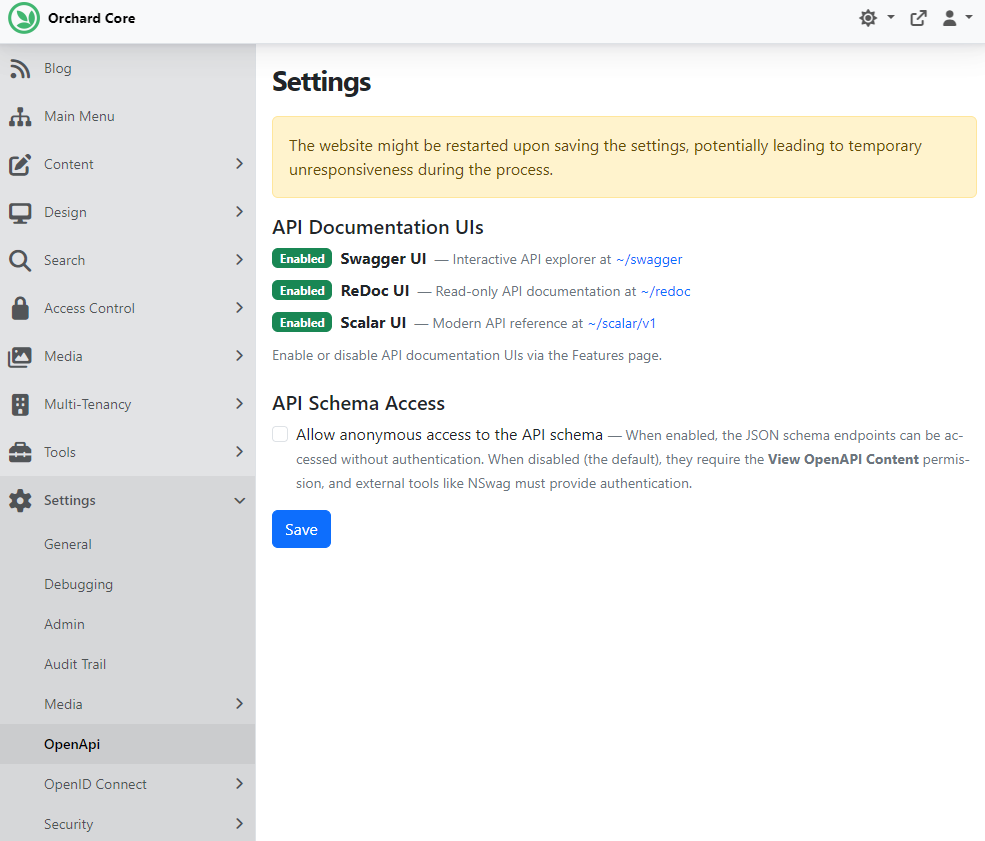
The OpenApi settings page (Settings -> OpenApi) shows the enablement status of each documentation UI, along with the Allow anonymous access to the API schema setting.
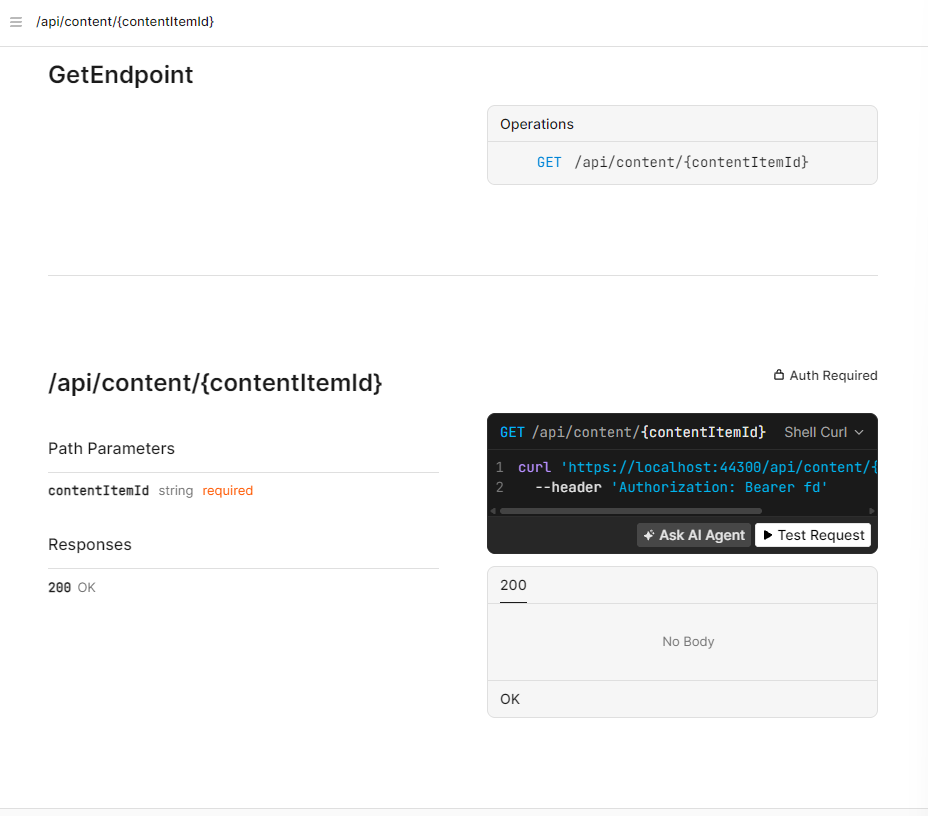
Trying out the Scalar UI at ~/scalar/v1 shows all of the endpoints, with the option to send test requests directly from the browser.
Check out the documentation of the module to read about OpenAPI client generation from an NSwag configuration, how to add new API endpoints that get auto-discovered by the OpenAPI specification, and the Bloom frontend framework, which includes a notification service that understands RFC 9457 Problem Details responses out of the box.
Use persistent authentication cookies by default
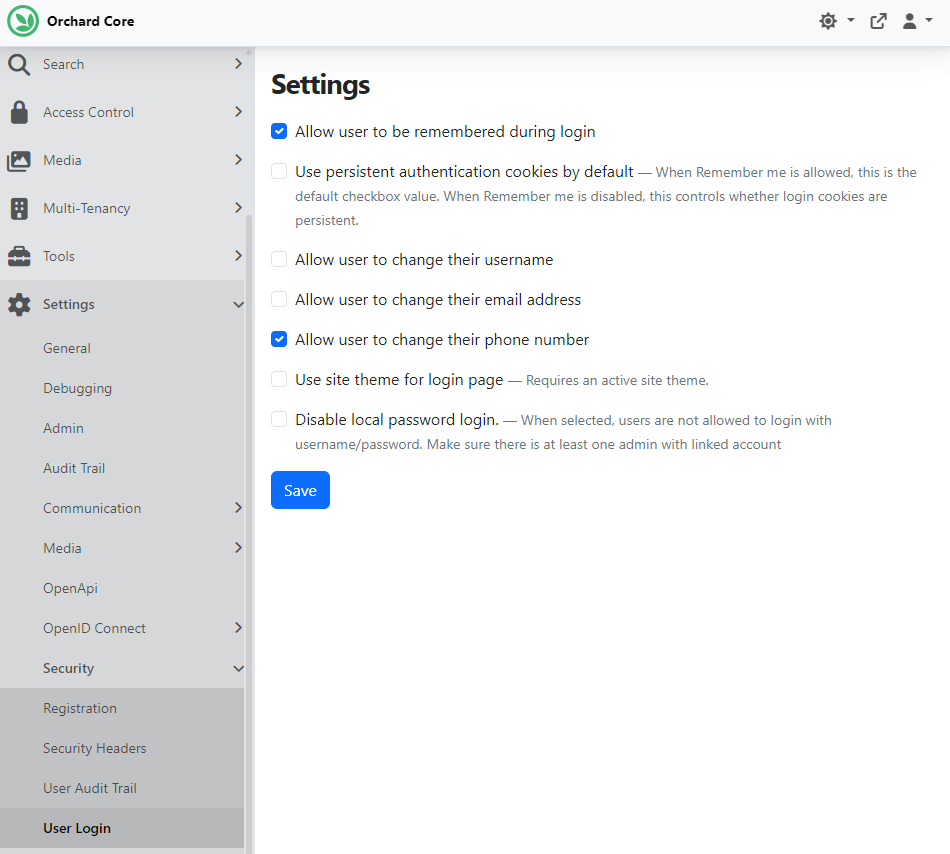
This feature by Georg von Kries adds a new Use persistent authentication cookies by default setting to User Login, which controls whether local and external sign-ins survive browser restarts. When Allow Remember me is enabled, the setting supplies the default value of the login form's Remember me checkbox. When Allow Remember me is disabled, it controls persistence for every local and external sign-in. Head to Settings -> Security -> User Login, where you can see the new Use persistent authentication cookies by default checkbox.
For configuration details about the User Login settings, see the Users module documentation.
Demos
Visual Layout Editor improvements
At the beginning of June, we covered a new visual drag-and-drop editor for arranging content type editor fields into tabs, cards, and columns in Orchard Core. Here you can find the repository for the Editor Layout feature, developed by Nick Jackson.
Since then, the module has gained several enhancements, addressing previous limitations with shape detection. It now accurately detects all editor shapes, including those with multiple editors like the SEO Meta Part, by rendering and inspecting the output rather than inferring from part names. Here we attached the Seo Meta Part to a Page content type and set it to display the Keywords panel, Custom Meta Tags, Open Graph panel, Twitter panel, and Google Schema panel. Hitting the Editor Layout button while editing the Page content type now shows that the module detects all of the SeoMeta Part's editor shapes.
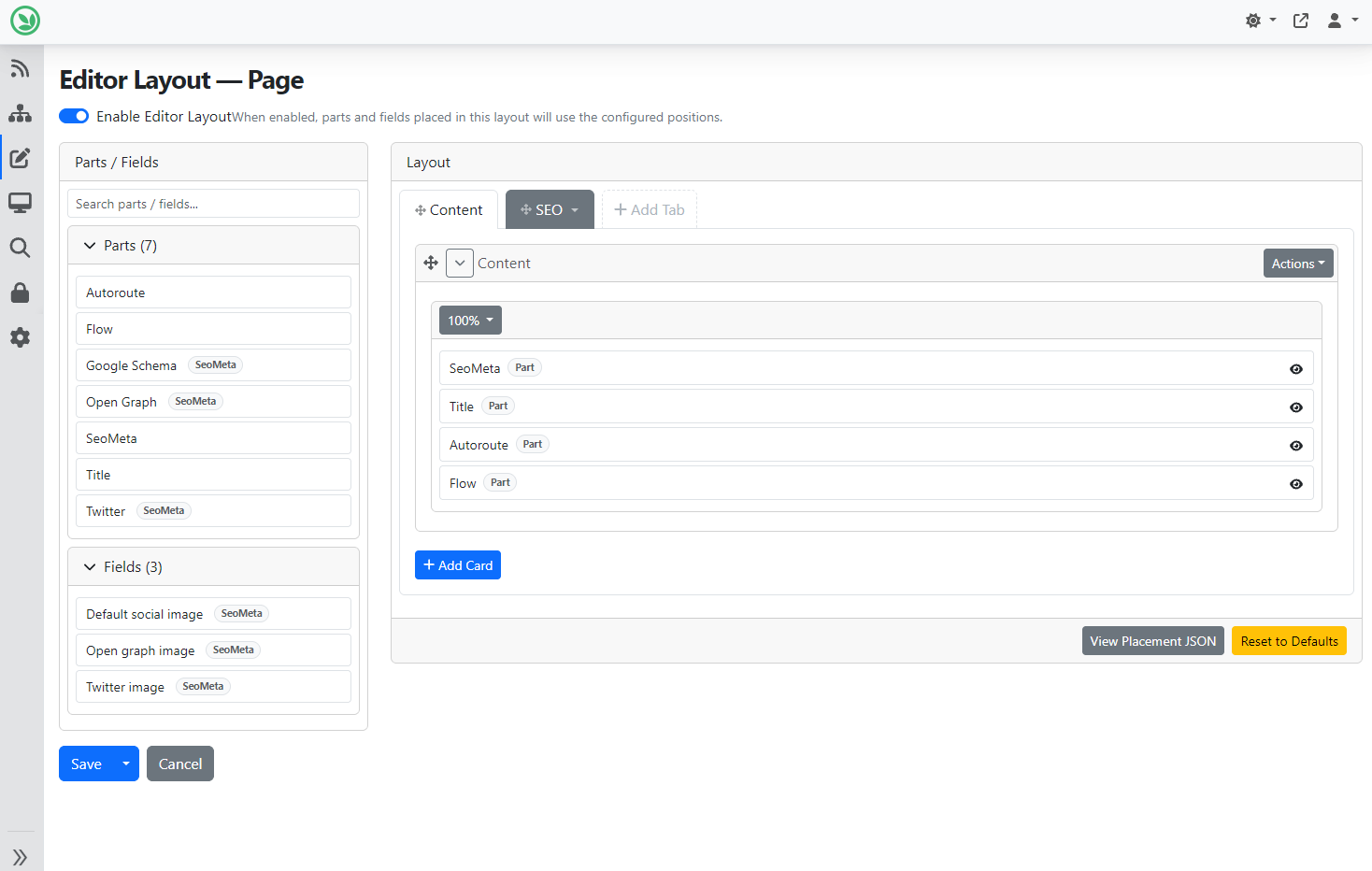
The editor supports complex layouts with tabs, cards, and columns, allowing users to visually arrange fields and parts, and generates placement JSON for debugging and export. To see the generated placement, you can click the View Placement JSON button which will open a new pop up for you.
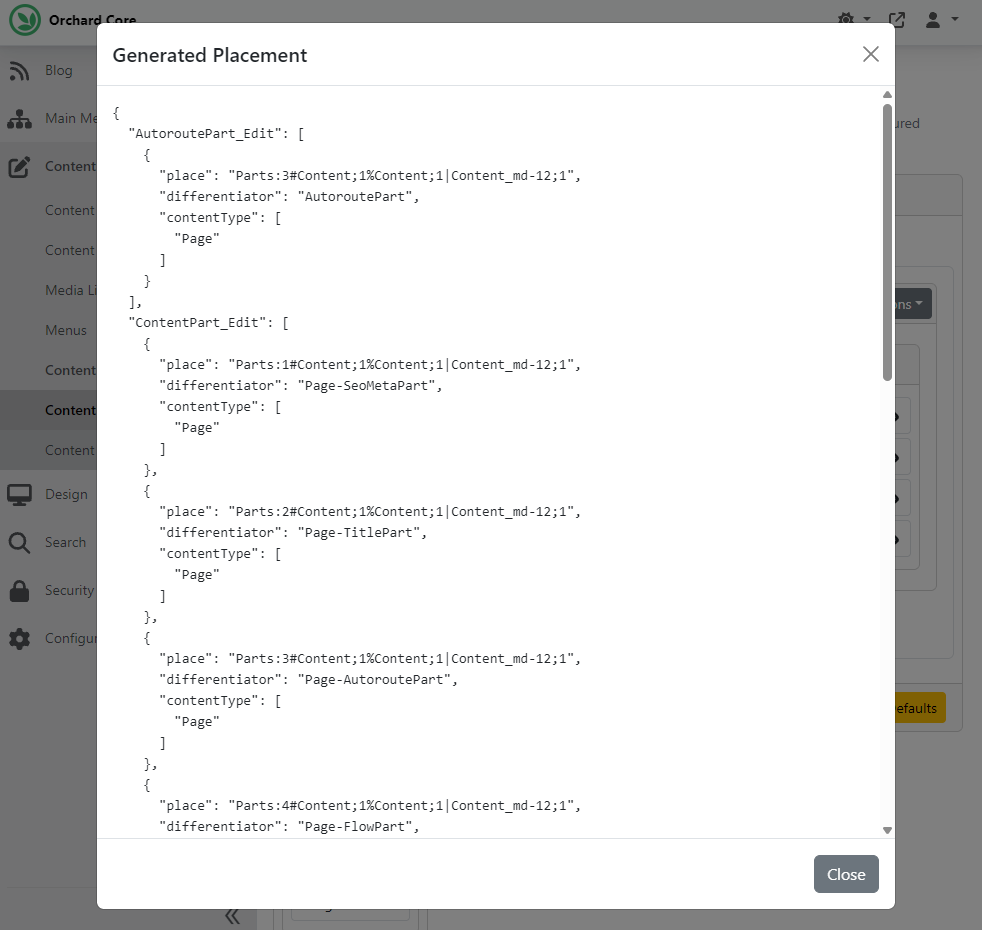
Head to YouTube for a recording to see the module in action.
News from the community
Lombiq's Open-Source Orchard Core Extensions updated to v3.0.1
Orchard Core, the ASP.NET Core framework and CMS we built our company on is constantly improved by its community, including us.
The community recently released the latest v3 (and then the bug-fixing v3.0.1) version of Orchard Core. This version is a good reminder that CMS upgrades are not only about new UI features:
The release moves Orchard Core to .NET 10, replaces the default image processing engine with NetVips for faster resizing, and reworks search/indexing so Lucene, Elasticsearch, and Azure AI Search are managed more consistently.
There are also practical quality-of-life changes: a reorganized admin menu, permission-based menu visibility, a new Asset Manager, improved media storage warnings, and cleaner APIs around results, validation, and extensibility.
For teams running serious Orchard Core projects, that matters. These are the kinds of changes that make a platform easier to maintain, safer to extend, and more predictable to upgrade.
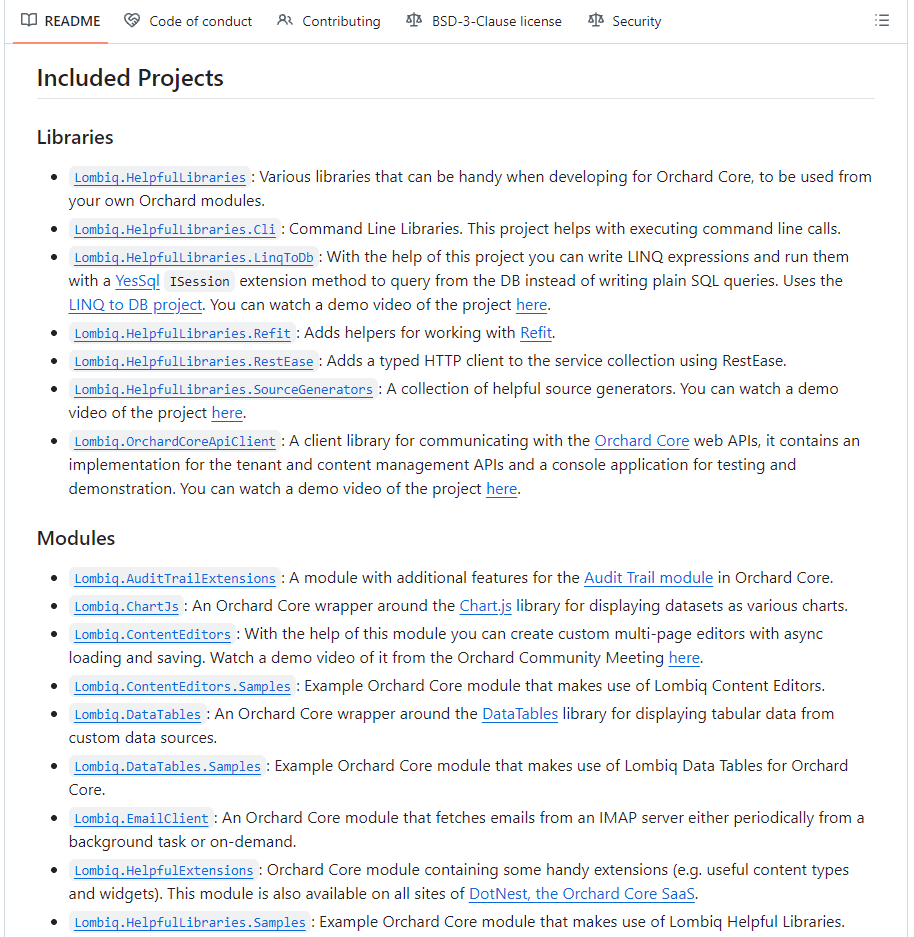
Lombiq's Open-Source Orchard Core Extensions Visual Studio solution contains most of Lombiq's open-source Orchard modules and themes, as well as related utilities and libraries. Only extensions that use the latest released version of Orchard Core are included; the ones depending on a nightly build aren't in there yet. This solution is now updated to Orchard Core 3.0.1.
Check them out here, and install them from NuGet or from source. Bug reports, feature requests, comments, questions, and code contributions are welcome via GitHub issues and pull requests.
Orchard Dojo Newsletter
Lombiq's Orchard Dojo Newsletter has 406 subscribers! We have started this newsletter to keep the Orchard community informed about the latest platform news. By subscribing to this newsletter, you will receive an email whenever a new post is published to Orchard Dojo, including 'This Week in Orchard', of course.
Do you know of other Orchard enthusiasts who would like to read our weekly articles? Tell them to subscribe here!