Live from Orchard Harvest 2025 Prague - Day 1
Today we had the first day of the Orchard Harvest 2025 conference. In this post, we would like to summarize what happened on the first day of the conference.
Announcement of the Winner of the Jean-Thierry Kéchichian Community Award
At the end of 2023, our good friend, Jean-Thierry Kéchichian, a truly extraordinary member of our community, unexpectedly passed away. To honor him, keep his memory alive, and foremost, inspire people to do good work for the community, we launched an award named after him for exceptional community members. Before the Keynote, we announced the Winner of the Jean-Thierry Kéchichian Community Award. Every year, the community votes on who has done the most for Orchard Core and thus who we can bestow the Jean-Thierry Kéchichian Community Award. The winner of this award for this year is Mike Alhayek! Congratulations to Mike, and thanks for his code contributions, help with issues, discussions, and everything else!
Keynote
This time, Benedek Farkas from Lombiq held the Keynote. He talked about the brief history of Orchard 1, Orchard Core, and Harvest, of course. We had four conferences in the USA, and this is our third in Europe. We hope that we can do next year's in the USA again! Regarding the legacy version of Orchard, the latest version, 1.10.4, was released last month, and the community will release Orchard Core 3.0 very soon, with several new changes and improvements. We hope you follow our weekly This week in Orchard newsletter and are familiar with the latest features of the upcoming release!
Orchard Core developer automation with GitHub Actions
The next speaker, Zoltán Lehóczky from Lombiq, started his talk by introducing GitHub Actions, which is a workflows automation engine built into and integrated with GitHub. By writing YAML, you can run builds, and Orchard Core uses GitHub Actions too! He showed the Lombiq GitHub Actions repository, which contains reusable workflows and actions for GitHub Actions — for example, to build and test Orchard Core apps! You can check out a demo on our YouTube channel, and the Orchard Harvest 2023 conference talk about automated QA in Orchard Core here.
After discussing the basics, he showed how to use workflows to set up spell-checking with Codespell, publish NuGet packages, and lint CSS, JS, and Markdown. You could also see how to set up a workflow to deploy your application to Azure App Service or to swap Azure Web App Slots from Staging to Production.
Emailing - queues, templates and more
Michal Kužela from PUXdesign presented a dedicated module for email sending and tracking, which is transparent, reliable, and auditable. Once the email passes the validation, it goes to the queue. The sending happens asynchronously in the background, so there is no active waiting, and it's decoupled from the main app. The module also tracks sent and failed emails. There is a three-retry policy if something goes wrong, thanks to the three attempts rule. After three attempts, the email is marked as failed.
The demo section contained a simple application form. Once the user submits the form, the email will be sent using the applicant's data entered in the form. You can set the attachment to be included in the email or downloaded via a publicly available link for a given time, using a token, or via a link accessible only to logged-in Orchard site users. In the Orchard admin UI, you can view the email queue, which displays details for all sent emails.
Olystic website case study: A modern CSS + widget workflow for Orchard Core on DotNest
After the lunch break, Márk Bartha from Lombiq showed us the brand-new website for Olystic. He showed us the sections and pages of the website that feature widgets and carousels, showing, for example, the team members and the offered services. This site is hosted on DotNest, where you can create sites in seconds. DotNest is hosted by Lombiq, and we have already included some third-party extensions, such as Mike Alhayek's AI modules and Antoine Griffard's themes.
Regarding templates, you can build a theme in two ways if you are hosting your Orchard Core site in DotNest. You can use Admin UI Templates or Media Themes. He described the advantages of using Media Themes instead of the Admin UI Templates. He also showed us the admin area of the site, where he explained how the different widgets are constructed and what options you have to set up the site's look and feel.
Supercharging Orchard Core with Elsa Workflows
Sipke Schoorstra started his presentation by describing what is Elsa Workflows. Elsa Workflows is a set of NuGet packages for building workflows engines. The differences between Orchard Workflows and Elsa Workflows are that Elsa is a standalone workflow engine and framework that originated from Orchard Core. You can use dynamic expressions from any input, like JavaScript, C#, Python, or Liquid. Workflows in Elsa are versioned, whereas in Orchard Core they are not. By combining Elsa Workflows with Orchard, you will have direct access to Orchard Application Framework, like the content API.
He created new Elsa Workflows in Orchard Core, demonstrating how to work with variables in C# and JavaScript, process JSON responses from HTTP requests, and create complex content items based on their content. Even more, you can use AI to proofread open texts of your content items once you save them. If it finds a typo, it will make the necessary corrections and update your content item using the Update Content task. If you would like to know more about how you can use Elsa Workflows inside Orchard Core, check out this post, including a demo video.
Using Asp.Net Aspire for Orchard Core dev orchestration
Mostefai Mohammed Amine showed us Aspire in action and how to use Aspire.Net with Orchard. But first, he said a few words about Dev-Time Orchestration, which consists of tools that make developers' lives much better by focusing on code rather than the environment and handling dependencies. In his demo, he created a solution with two components: the back end and the front end. After he added two Aspire projects. The first is the host, the second contains shared components. The host will use the front-end and back-end projects as resources. Then, you can get and display data using the discoverability feature.
The host can harvest data from a database and provide you with pgAdmin, the most popular and feature-rich open-source administration and development platform for PostgreSQL. And by the end of this talk, you could see a decoupled CMS using the headless recipe, MySQL database, and Azure-based shell. We could see how to prepare this environment using ASP.NET Aspire.
How AI and Orchard CMS are bringing programmatic SEO back to life
Stanislav Bruch started his talk about AI translations and programmatic SEO. Programmatic SEO is a shorter, automated process for content creation. The landing pages are centered around specific keywords, and users find landing pages through organic search terms. Once the web editor edits the content in Orchard Core, ChatGPT translates it into different languages. If you open up the website of Easy Redmine, you will notice the language selector at the top-right corner of the page, where you can find several AI translations. But don't translate every page you have; prioritise instead, and don't forget that Arabic and Hebrew are right-to-left languages, which makes them harder to translate and display.
He also showed us a sample content backlog for FAQs and suggested using Claude + Notion MCP to generate it. The lessons are learned: it's essential to create FAQ content, and brand mentions are more important than website backlinks.
Harnessing HTML Forms: Simple Widget with Powerful Capabilities
Kryštof Klaban from PUXdesign presented how to design and set up widgets. The Design System in Figma covers everything from colors to typography. He showed the content definition for their custom widgets in the Orchard Core admin UI. Different custom form fields can be easily used and customized from the editor. The HTML Foundation is based on Orchard Flows, and the goal is to have a simple HTML structure using partial views.
The JS logic is only 500 lines of code. For client-side validation, they are using PristineJS library, which is a vanilla JavaScript form validation micro-library. The Workflows feature is used, for example, for server-validation, to do custom integrations, and to store data in their custom Form Data module.
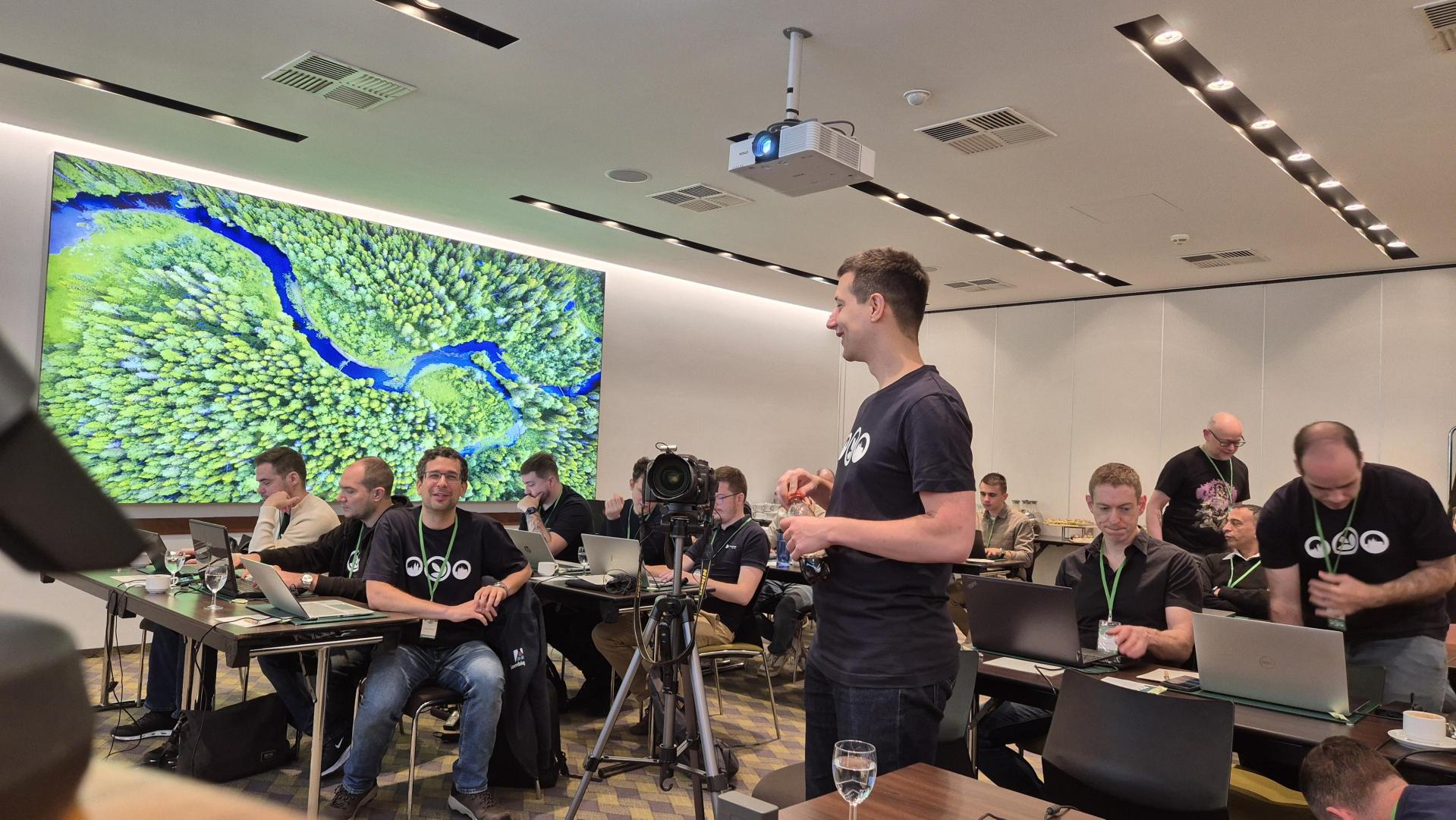
This was the first day of the conference. See you tomorrow!