Block Content Type Picker for Flow Part and Bag Part, Christmas in Lombiq - This week in Orchard (19/12/2025)
Our last post of this year concerns moving GetAllCulturesAndAliases to the default implementation and adding missing docs for the Setup module. Don't forget to check out a demo about the Block Content Type Picker for Flow Part and Bag Part! We also want to share some photos of our Christmas event. Thank you all for reading our posts and for making the Orchard community stronger! See you next year!
Orchard Core updates
Move GetAllCulturesAndAliases to the default implementation
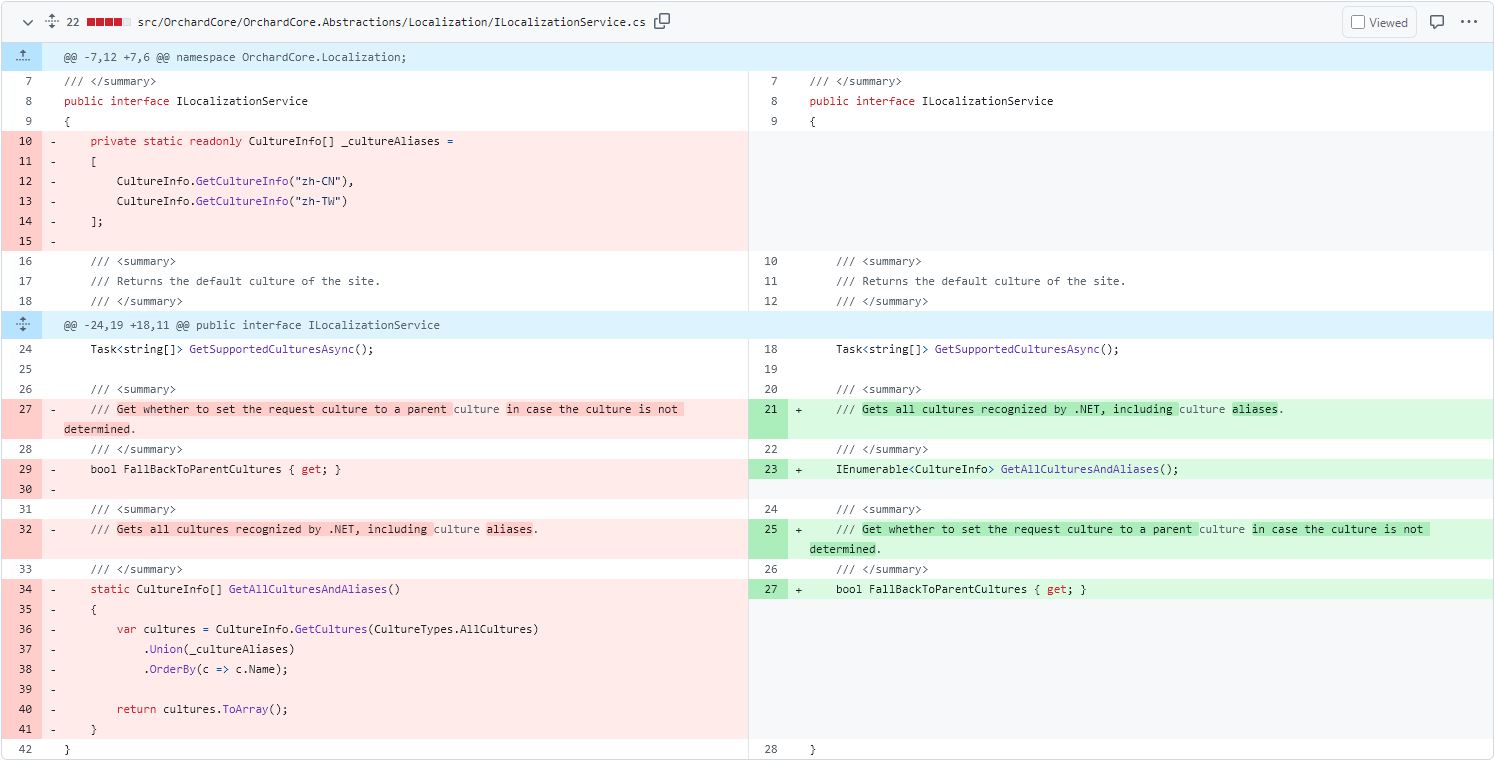
Previously, the ILocalizationService interface had a static default method, GetAllCulturesAndAliases(), that returned a list of all cultures available in the system along with their aliases. Hisham Bin Ateya replaced this method with an instance method, allowing developers to customize the implementation rather than rely on the default one.
Here you can see the changes to the ILocalizationService interface, including the new GetAllCulturesAndAliases() method, which you can override in your own ILocalizationService implementation so it can be configured (e.g., to add new cultures).
Add missing docs for the Setup module
When you begin with an empty site, a start screen lets you set parameters such as the Title, the selected database, and the recipe used to generate the site. This is done by the Setup module, which is creating the application's setup experience.
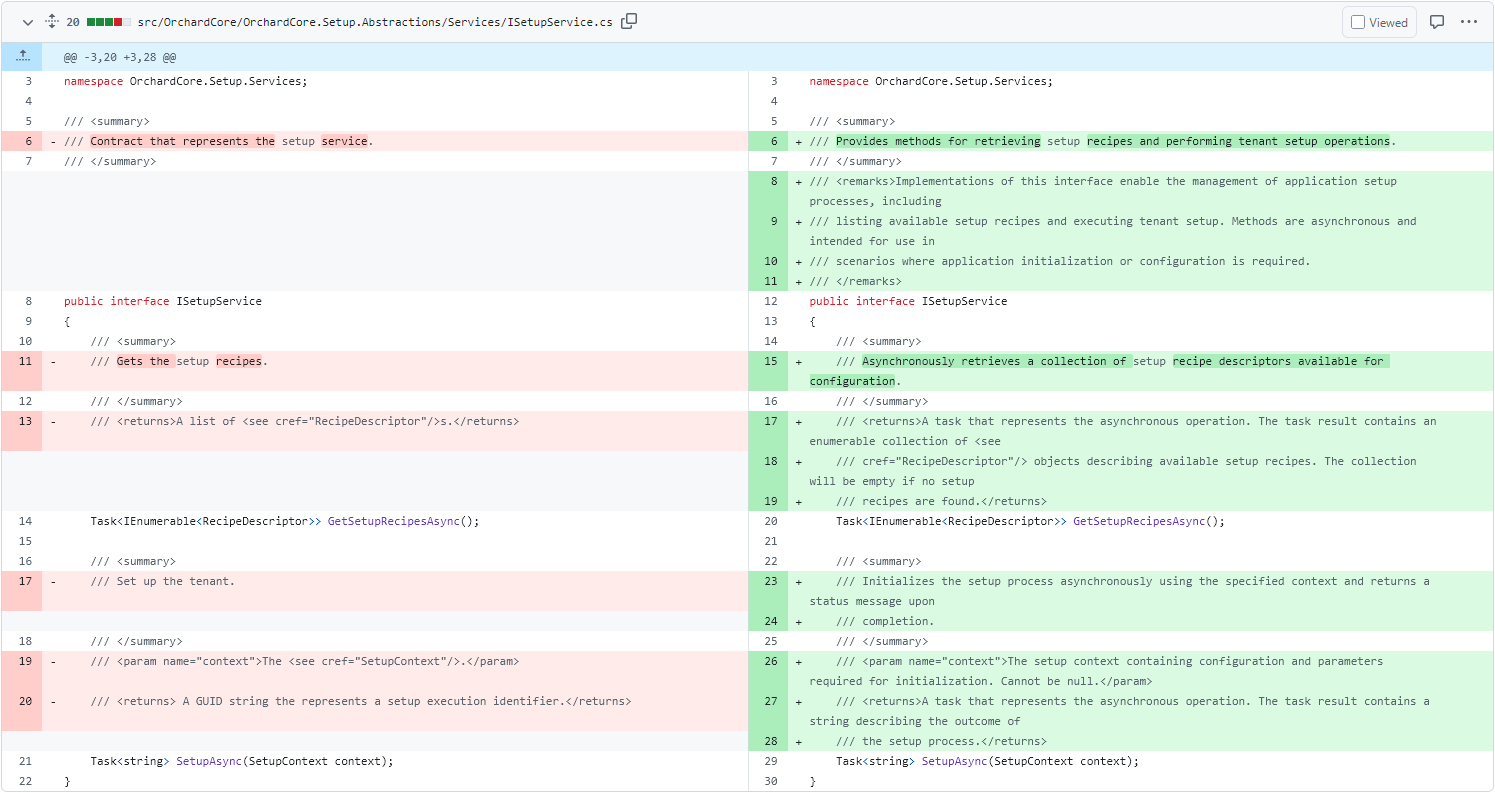
To make this happen, we have three interfaces with their default implementations: ISetupEventHandler, ISetupService, and ISetupUserIdGenerator. And from now on, you will find documentation for all of these interfaces and the default implementations added by Hisham Bin Ateya.
Demos
Block Content Type Picker for Flow Part and Bag Part
If you followed our posts over the last two weeks, you could see the progress of the Block Content Type Picker for Flow Part and Bag Part. In case not, here is the first part and here is the second one.
And now there is a PR for this feature developed by Nick Jackson, which introduces a new block-style editor for Flow Part and Bag Part that provides a modern, visual content type picker with thumbnail previews, category filtering, and search functionality. This enhances the content editing experience by allowing editors to browse and select content types more intuitively.
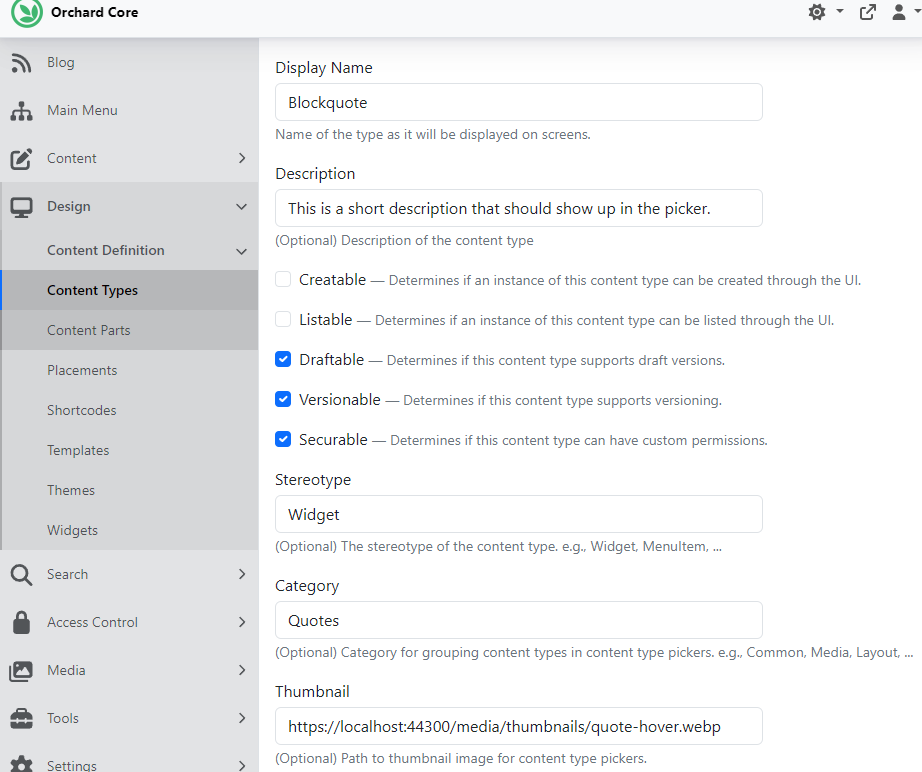
Let's check out this PR and set up our site using the Blog recipe. We have a Page content type by default, which has a Flow Part attached. If we navigate to Design -> Content Definition -> Content Types and edit the definition of the attached Flow Part of the Page content type, we can set the editor type to Blocks. We also edited the definition of one of our predefined widgets: the Blockquote widget. As you can see, we set its Category to Quotes, added a Description, and used the path to an uploaded image in the Media Library as the Thumbnail, naming it quote-hover.webp.
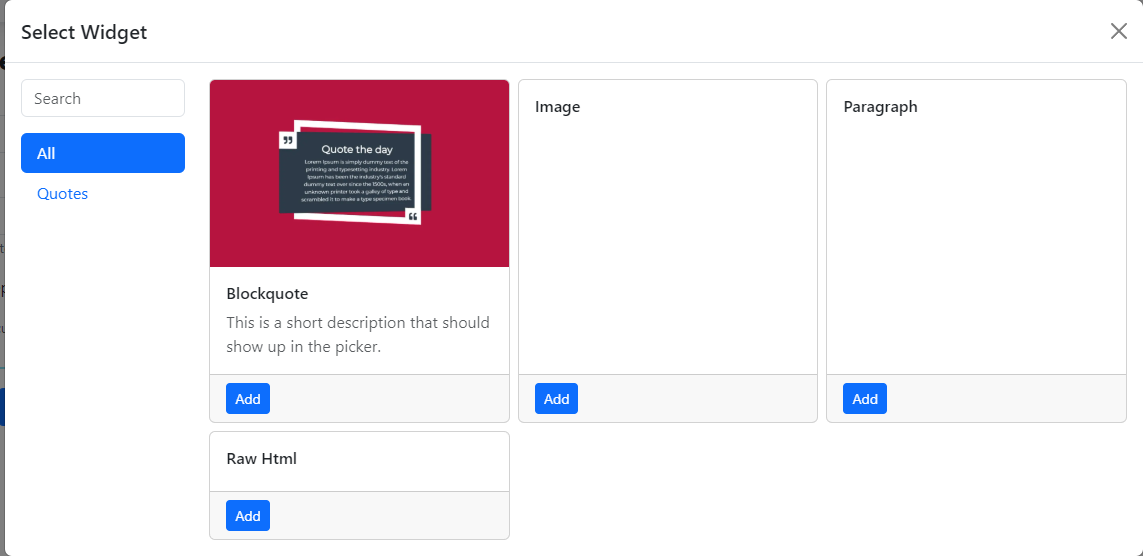
And now, if we create a new Page and go to add a new widget to its Flow Part, the Select Widget modal opens, where you can filter by the Quotes category, and there is our Blockquote widget with the description and the thumbnail we set up previously.
Now let's see the Block Content Type Picker for the Bag Part! For that, we created a new content type called Landing Page, and we attached the Title Part and the Bag Part to it. If we edit the definition of the Bag Part and set the editor type to Blocks, we can set a custom text for the Add button and a custom title for the content type picker modal.
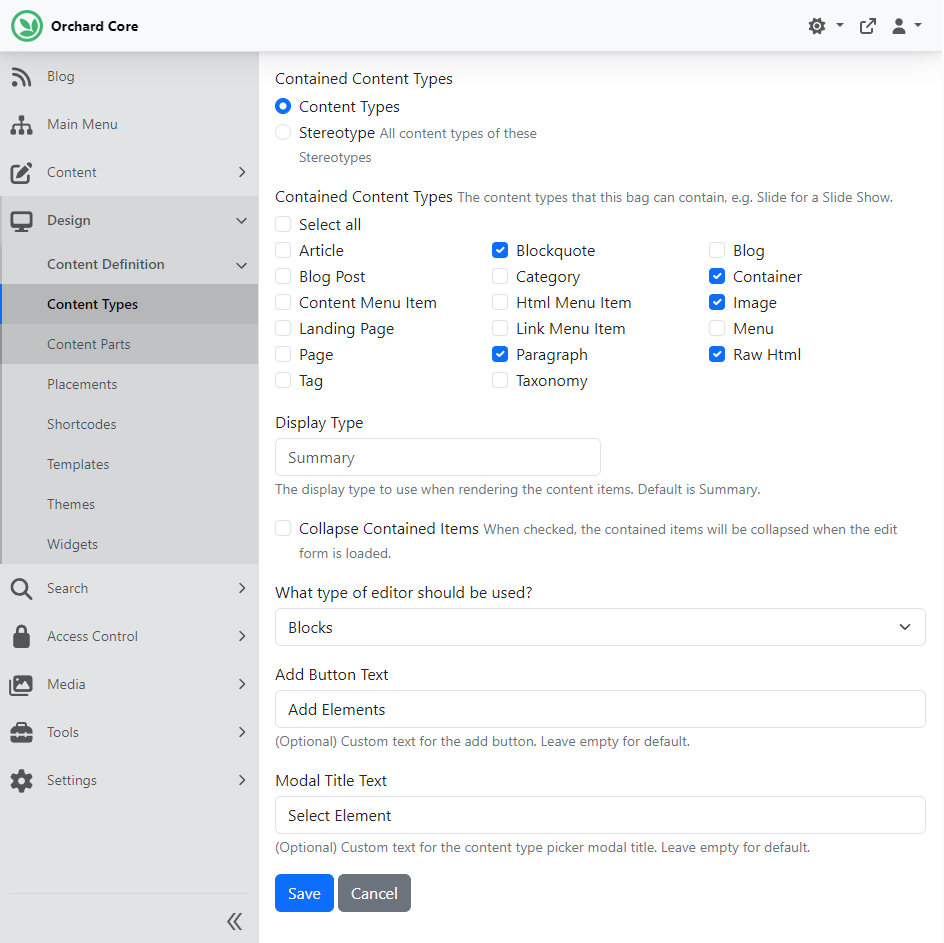
After, we navigated to Content -> Content Items and created a new Landing Page content item. As you can see in the screen below, the text on the button under the Bag section reads "Add Elements," and the title of the modal is "Select Element."
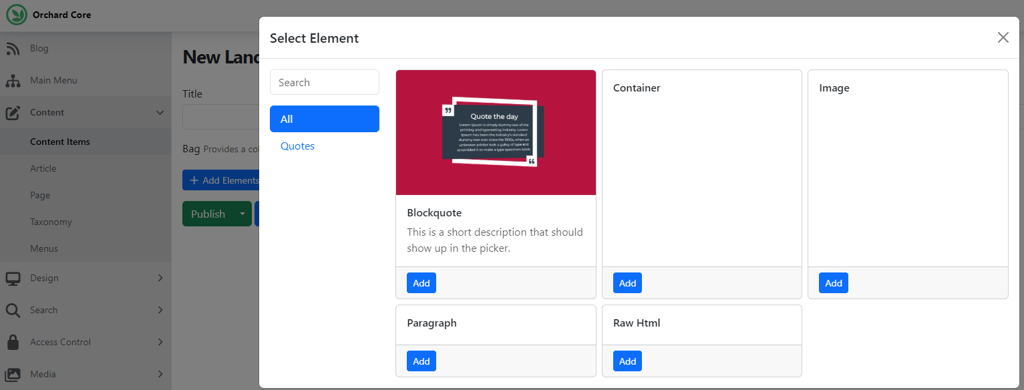
Here you can see that we configured our content types with a category and a thumbnail using the admin UI, but you can do the same programmatically using migrations. You can also use migrations to enable the blocks editor for a Flow or a Bag Part. Furthermore, the default values for category and thumbnail can be configured in appsettings.json using ContentTypesOptions:
{
"OrchardCore": {
"OrchardCore_ContentTypes": {
"DefaultThumbnailPath": "~/OrchardCore.ContentTypes/placeholder.png",
"DefaultCategory": "Content"
}
}
}
And that's still not all of it! If you would like to see a demo of the recent changes, head to YouTube for a recording!
News from the community
Christmas in Lombiq
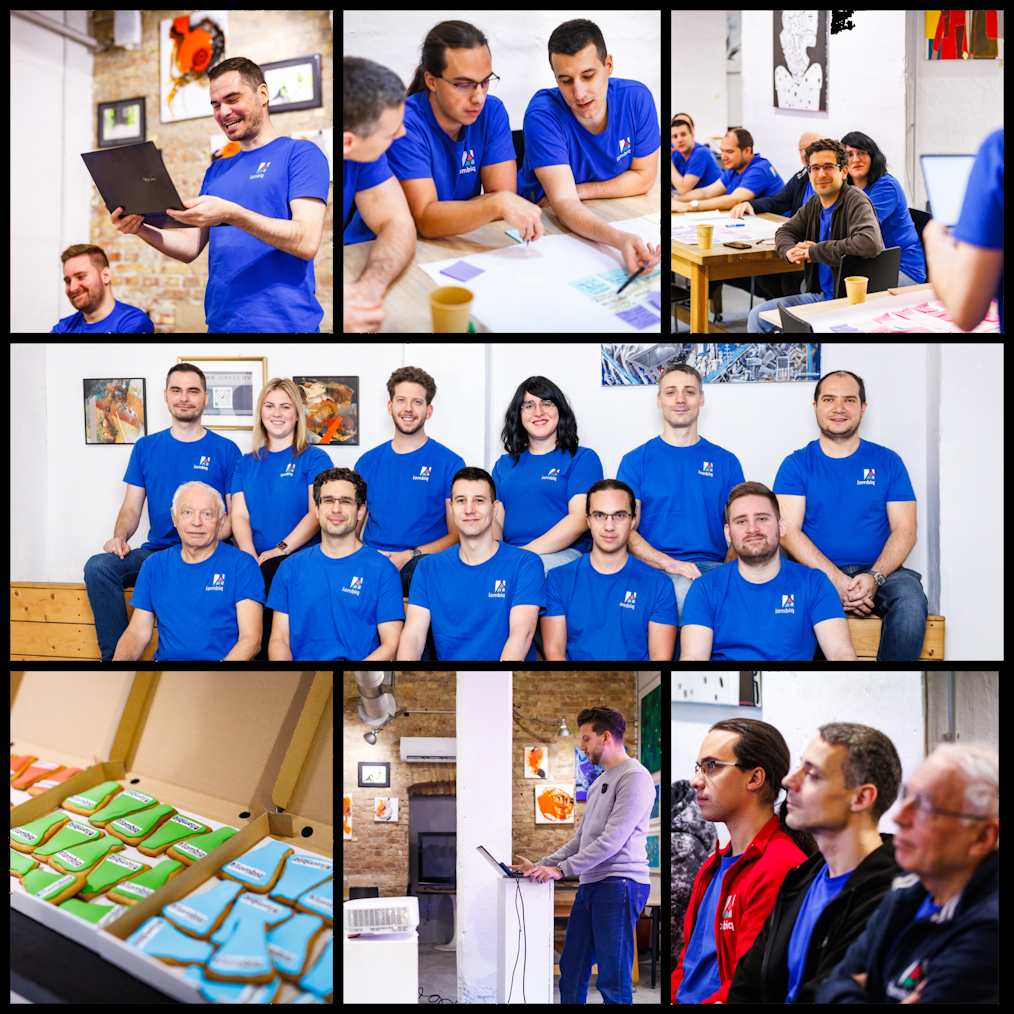
Sometimes we do stuff. Together. Not (just) in front of computer screens. These are some usual events in Lombiq that are all announced and arranged in advance. At the end of every year, we have an event called RnDay: a few-hour-long event where we share what we have recently worked on and what we plan to do. For example, if we recently finished a project, then the project's team members demo what they've done. We had our RnDay this year at Kubik, a coworking and event space where we held it. And at the end of the day, we visited a nearby restaurant to have dinner together. RnDay is a small tradition that reminds us how much progress can happen in a year.
Thank you for reading our posts and strengthening the Orchard community with us! We hope to give you occasional updates and demos on what's happening around Orchard and Orchard Core by reading our posts and, of course, the This Week in Orchard newsletter. We wish everyone a Merry Christmas, along with some photos from our latest event!
Orchard Dojo Newsletter
Lombiq's Orchard Dojo Newsletter has 432 subscribers! We have started this newsletter to keep the community around Orchard informed about the latest news on the platform. By subscribing to this newsletter, you will receive an email whenever a new post is published to Orchard Dojo, including 'This Week in Orchard', of course.
Do you know of other Orchard enthusiasts who would like to read our weekly articles? Tell them to subscribe here!