AI framework for .NET, New View Roles permission - This week in Orchard (28/08/2026)
Want to give support staff a way to see role definitions without letting them change anything? A new View Roles permission does exactly that.
Need to cap how long, or short, a text field's content can be? Text Field settings now support Minimum and Maximum length validation.
Building AI features outside of Orchard Core? CrestApps.Core brings the same AI Suite services to any ASP.NET Core project.
And signing into DotNest just got easier, with social sign-in via Microsoft, Google, GitHub, or Facebook.
This week's changes come from Matt Varblow, Antoine Griffard, and Mike Alhayek.
Orchard Core updates
Allow users to be granted read-only permission for Roles
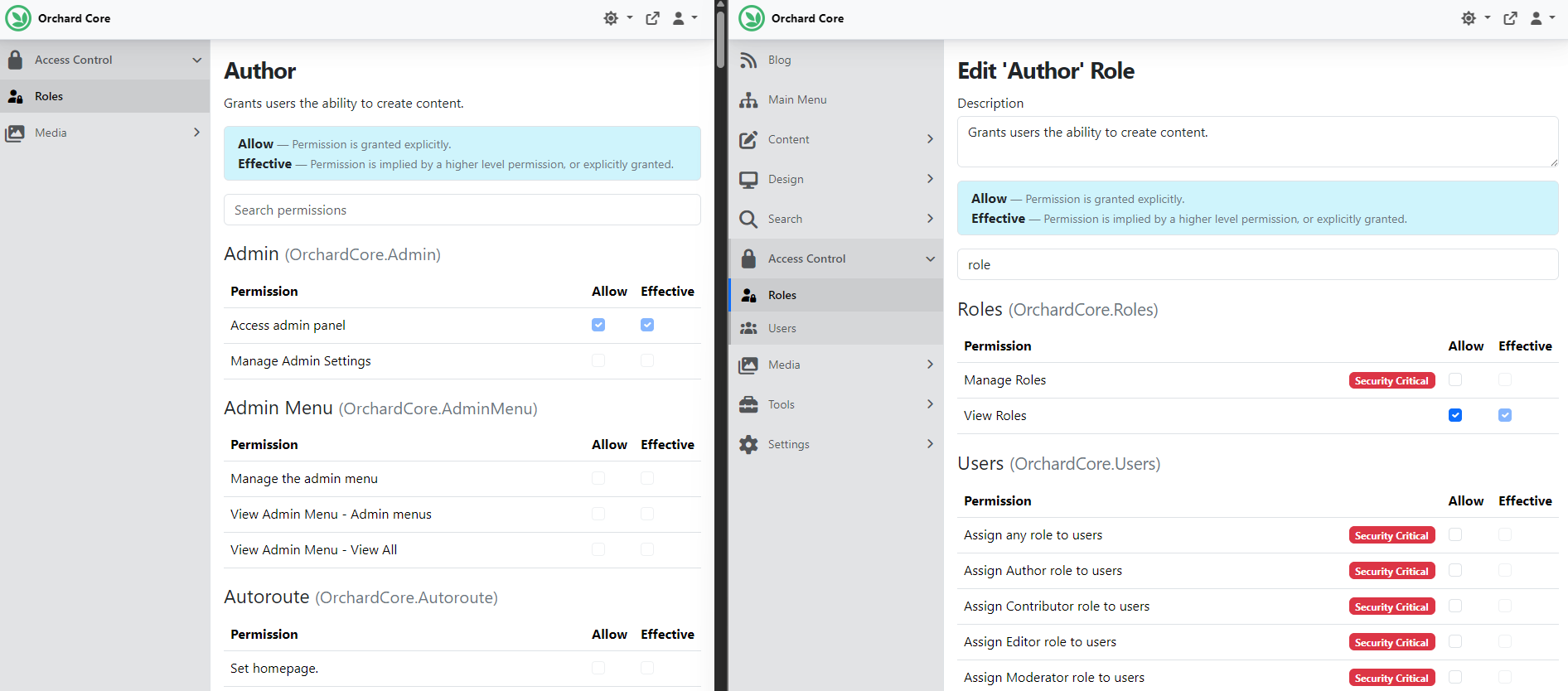
This feature by Matt Varblow adds a new View Roles permission, letting you grant a group of users, like support staff who manage a subset of users, visibility into role definitions and their assigned permissions, without giving them the ability to change anything. The new permission only allows access to the Roles Index and Display actions, and is implied by Manage Roles, so admins keep full control.
We set up our site using the Blog recipe, which comes with predefined roles like Author, Contributor, and Editor. In the admin panel, under Access Control -> Roles, edit the Author role, search for the "role" permission, and add the new View Roles permission to it. Then create a test user with the Author role via Access Control -> Users -> Add User.
Logging in as that user and heading to Access Control -> Roles shows all roles with only a View button: no way to add, clone, edit, or delete a role. Opening a role shows its permissions read-only, with no Save button. We logged in with an Administrator user on the right and an Author user on the left.
New MinLength and MaxLength Text Field Settings
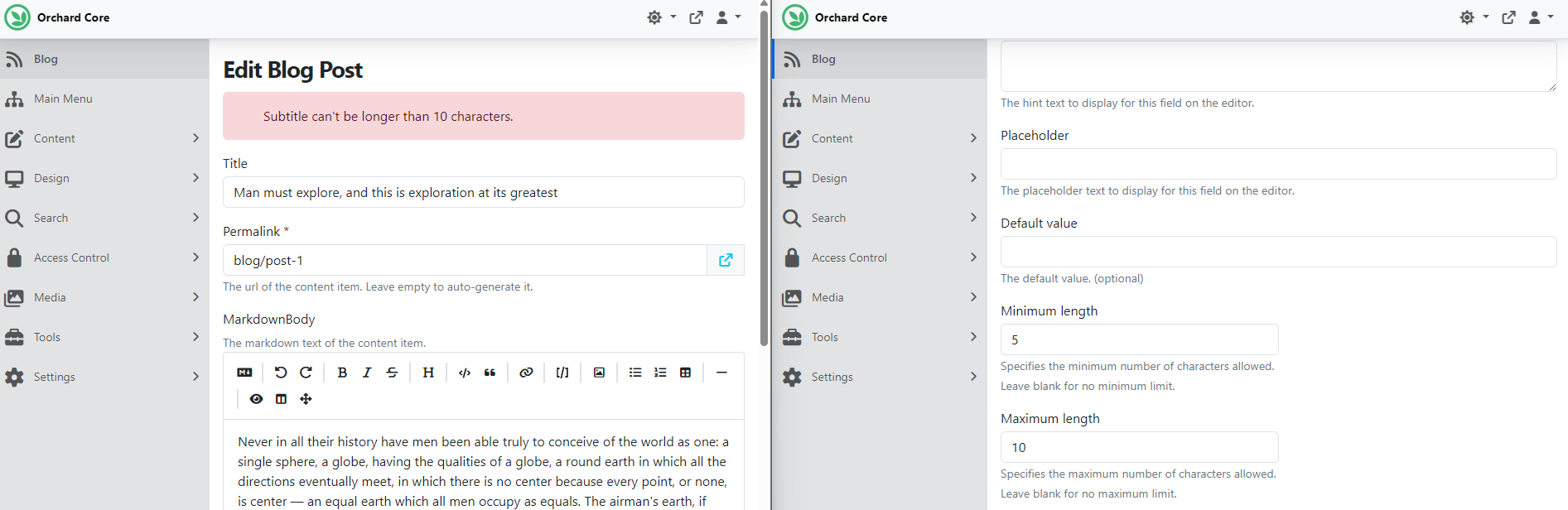
Antoine Griffard added optional Minimum length and Maximum length values to Text Field settings. When set above 0, the field's content is validated on save, and the corresponding MinLength/MaxLength attributes are rendered on the standard and Text Area editors. An empty value (the default) means no limit, so existing content types are unaffected.
We have a site set up with the Blog recipe, so we head to Design -> Content Definition -> Content Types and edit the predefined Blog Post content type, which has a Text Field called Subtitle. Editing it shows the new minimum and maximum length text boxes; we set 5 as the minimum and 10 as the maximum.
Heading to the editor of the predefined Blog Post content item and hitting Save without any changes now returns an error: "Subtitle can't be longer than 10 characters", because the "Problems look mighty small from 150 miles up" text is longer than that.
Demos
Introducing CrestApps.Core: AI Orchestration for any .NET Project
Mike Alhayek's goal was to make the AI Suite code more reusable. Until now, it only worked with Orchard Core; he abstracted the services into a standalone framework that provides everything needed to bring Orchard Core's AI features into any ASP.NET Core project. It's nearly the same code, minus the Orchard Core-specific part.
You can find the project in this GitHub repository, with its own docs. There's also a sample MVC app showing how to use it in a standard ASP.NET Core app with nothing Orchard-specific about it: you can add a connection, index data profiles, and start chatting, in a UI very similar to Orchard Core's own AI chat.
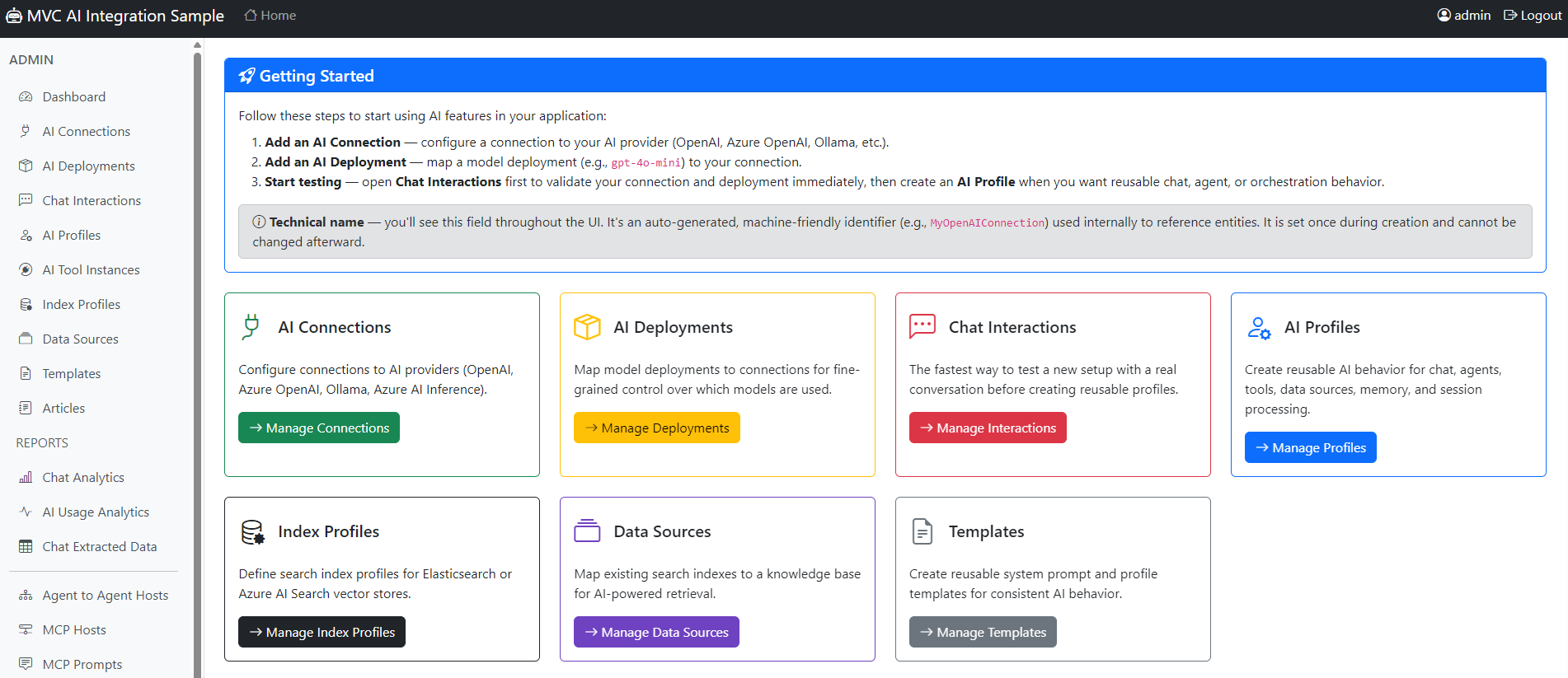
Find the latest version on NuGet or GitHub releases, and head to YouTube for a demo covering the whole framework.
News from the community
Signing in to DotNest just got easier
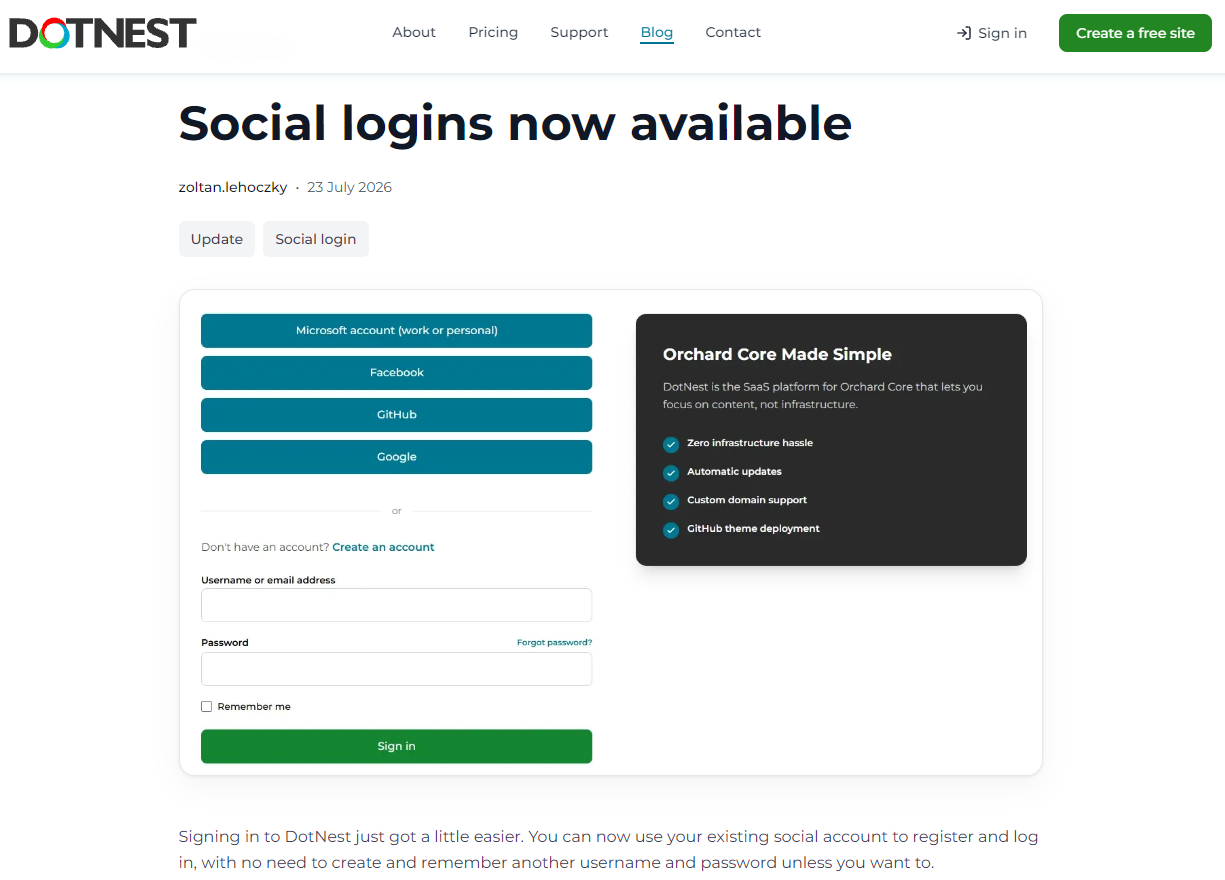
DotNest now supports social sign-in. You can register and log in using your existing Microsoft, Google, GitHub, or Facebook account, no need to create and remember another username and password unless you want to.
New to DotNest? Pick your preferred sign-in provider on the homepage, authorize it, and your account is ready in a few clicks. Already have a DotNest account? If your social account uses the same e-mail address, signing in with your chosen provider logs you straight into your existing account, no manual migration required.
Building your own ASP.NET Core or Orchard Core application? We also published a step-by-step guide to integrating Microsoft sign-in in your own projects, from configuring Microsoft Entra ID to wiring up authentication.
Prefer a traditional DotNest username and password? Still fully supported, social sign-in is entirely optional.
Read the announcement on DotNest.com.
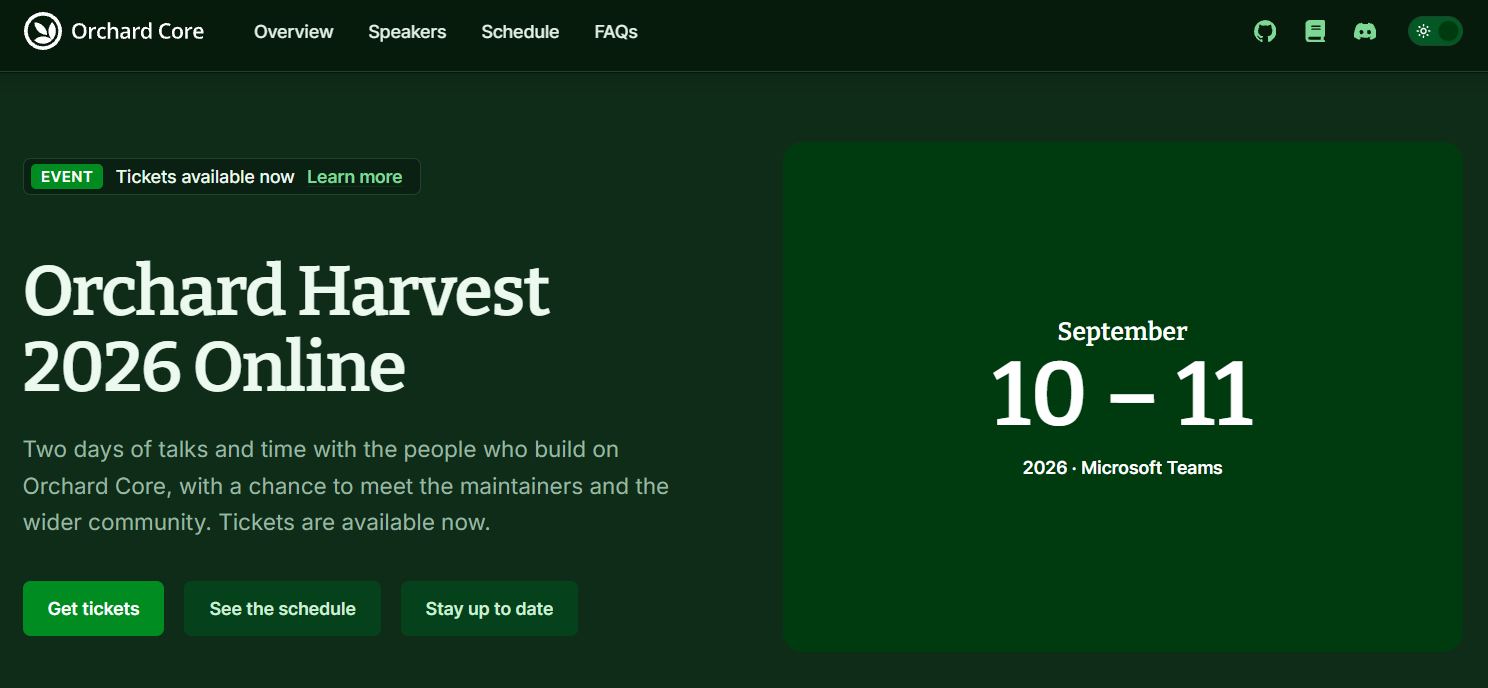
Orchard Harvest 2026 goes Online
Important update about Orchard Harvest! Due to various factors, we had to make the difficult decision to move the event online.
Orchard Harvest 2026 will be hosted through Microsoft Teams, and anyone can join for free! You'll find the latest information on the conference website and grab your complimentary tickets here.
With Orchard Harvest moving online, we once again accept speaker applications: https://forms.cloud.microsoft/Pages/ResponsePage.aspx?id=Wt6elek45kStyIVVO-uCICDdeeZFbXdAlSWTkdgpZAtUQzA3UzVNUERJTk4zVlEwRUtXNkM2SlI4Sy4u
The number of available presentation slots are TBD, also depends on the already planned speakers' (for the in-person version) schedule.
Orchard Dojo Newsletter
Lombiq's Orchard Dojo Newsletter has 411 subscribers! We have started this newsletter to keep the Orchard community informed about the latest platform news. By subscribing to this newsletter, you will receive an email whenever a new post is published to Orchard Dojo, including 'This Week in Orchard', of course.
Do you know of other Orchard enthusiasts who would like to read our weekly articles? Tell them to subscribe here!