AI-driven theme editor on the admin UI, Available Storage indicator for the Media Library - This week in Orchard (20/03/2026)
This time, you can see a proof-of-concept demo for an admin UI-based theme editor with AI integration by Márk Bartha from Lombiq.
But before that, let us quickly mention the newly available storage indicator for the Media Library by Sára El-Saig, which notifies the user of the free space on the local file system when storing media items.
And thanks to Manuel Tamayo Montero, the Orchard Core documentation has been updated with additional lines to help developers use the Anchor Tag Helper.
Orchard Core updates
Available Storage Indicator for the Media Library
The idea behind this new addition is to somehow notify the user about the free space available on the local file system when storing media items. Your site can contain multiple items in the Media Library, and it's best to track available storage space directly in the admin UI.
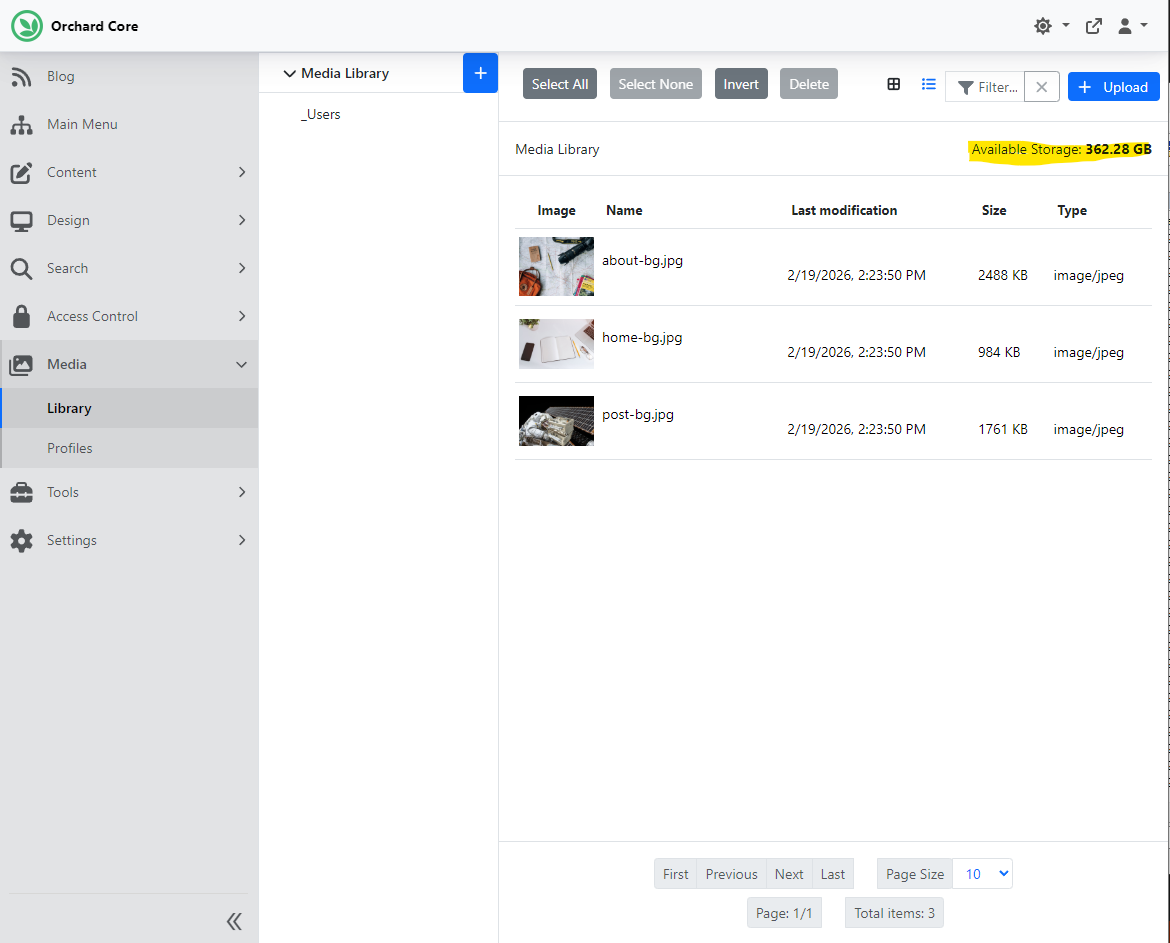
Thanks to Sára El-Saig from Lombiq, the Media Library screen now includes an Available Storage indicator. If the media items are stored on the local file system, it automatically shows the free disk space on the drive used for storage. The available storage is checked when uploading or copying files in the media store, providing a more informative warning when space is exhausted. If you enter the admin area of Orchard Core and select the Library submenu under Media, you will see the available storage indicator in the top-right corner. As you can see, we currently have 362.28 GB of free space on the local file system.
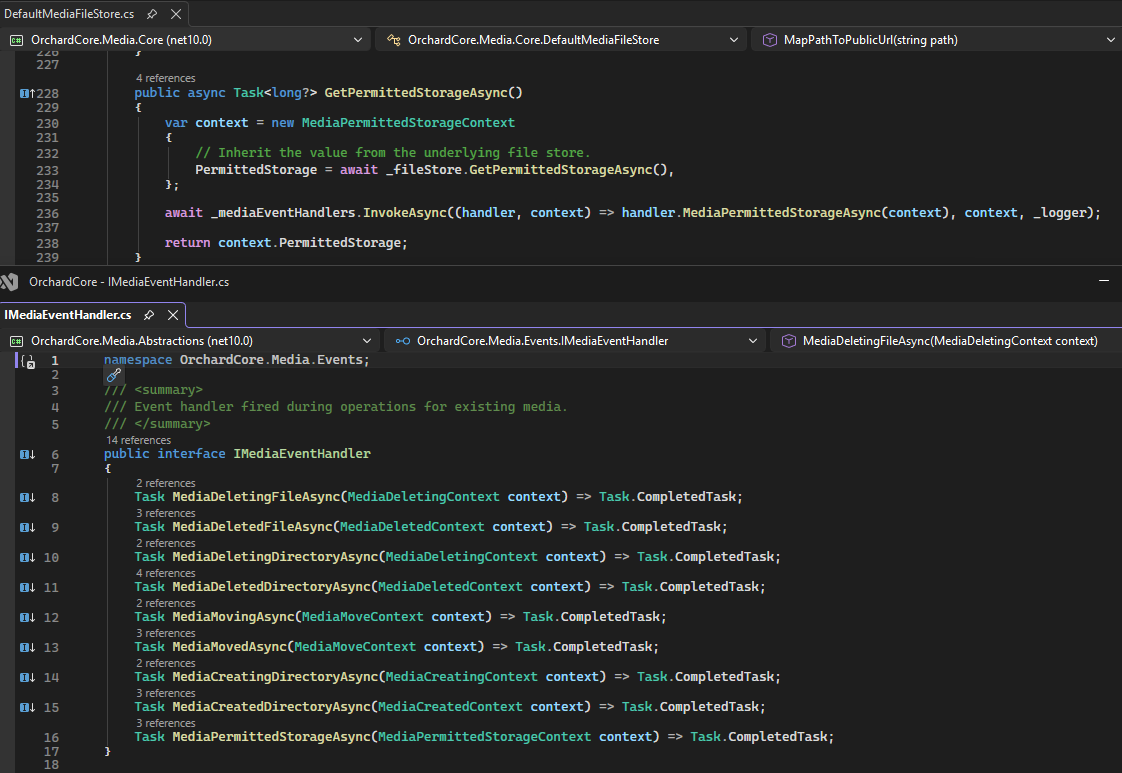
But it's just applies when you are storing your media items on the local file system. If you use a different underlying file store (e.g., Azure Blob Storage, Amazon AWS) or want to enforce additional storage constraints (e.g., usage quotas), that's also possible. To do that, you need to create a new event handler that implements IMediaEventHandler.MediaPermittedStorageAsync(MediaPermittedStorageContext) method. Note that if you want to use multiple event handlers, you should update the PermittedStorage value using the MediaPermittedStorageContext.Constrain(long) method rather than manually editing the PermittedStorage value.
Anchor Tag Helper documentation
We have had an Anchor Tag Helper for a while in Orchard Core, but the documentation was a bit outdated, as it only documented the <img> Tag Helpers, not the one for <a> tags. Manuel Tamayo Montero added some lines to the documentation to help developers use it.
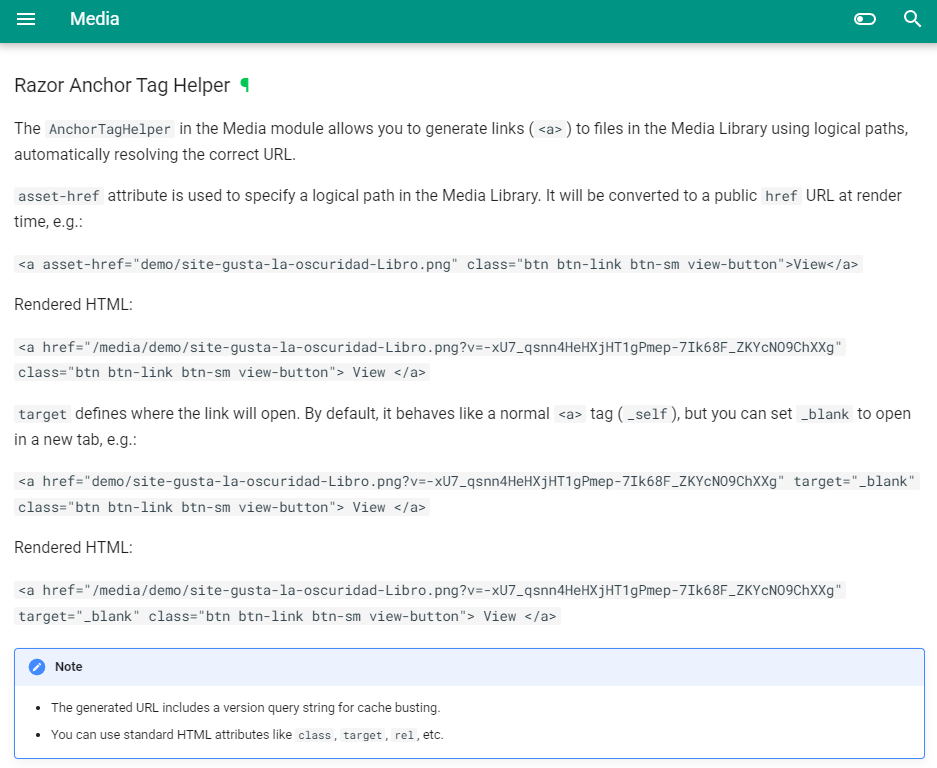
Please don't forget that when using tag helpers in Razor, you must take a direct reference to the OrchardCore.Media NuGet package in each theme or module that uses the Tag Helpers.
Demos
AI-driven theme editor on the admin UI
Márk Bartha from Lombiq started building a proof of concept for an admin UI-based theme editor with AI integration. If you want custom themes, you have the option to host your theme in the Media Library using the Media Theme feature for Orchard Core. It would be great if we could edit this theme right from the admin UI. Normally, you can edit templates using the Templates feature, but since it's in the Media Library, you don't have the option for that. This feature is to solve this problem.
Here you can see a sample project from a conference site with some dummy data. This editor UI shows the Media Theme folder from the Media Library. Here you can see the templates and all the assets used. You can edit them just as you would in your IDE. Of course, you can also create new templates right from this IDE. After you provide a name for the template and click Save, the template will be saved, and the specified shape will become active. And it applies to any other allowed file types, not just to templates.
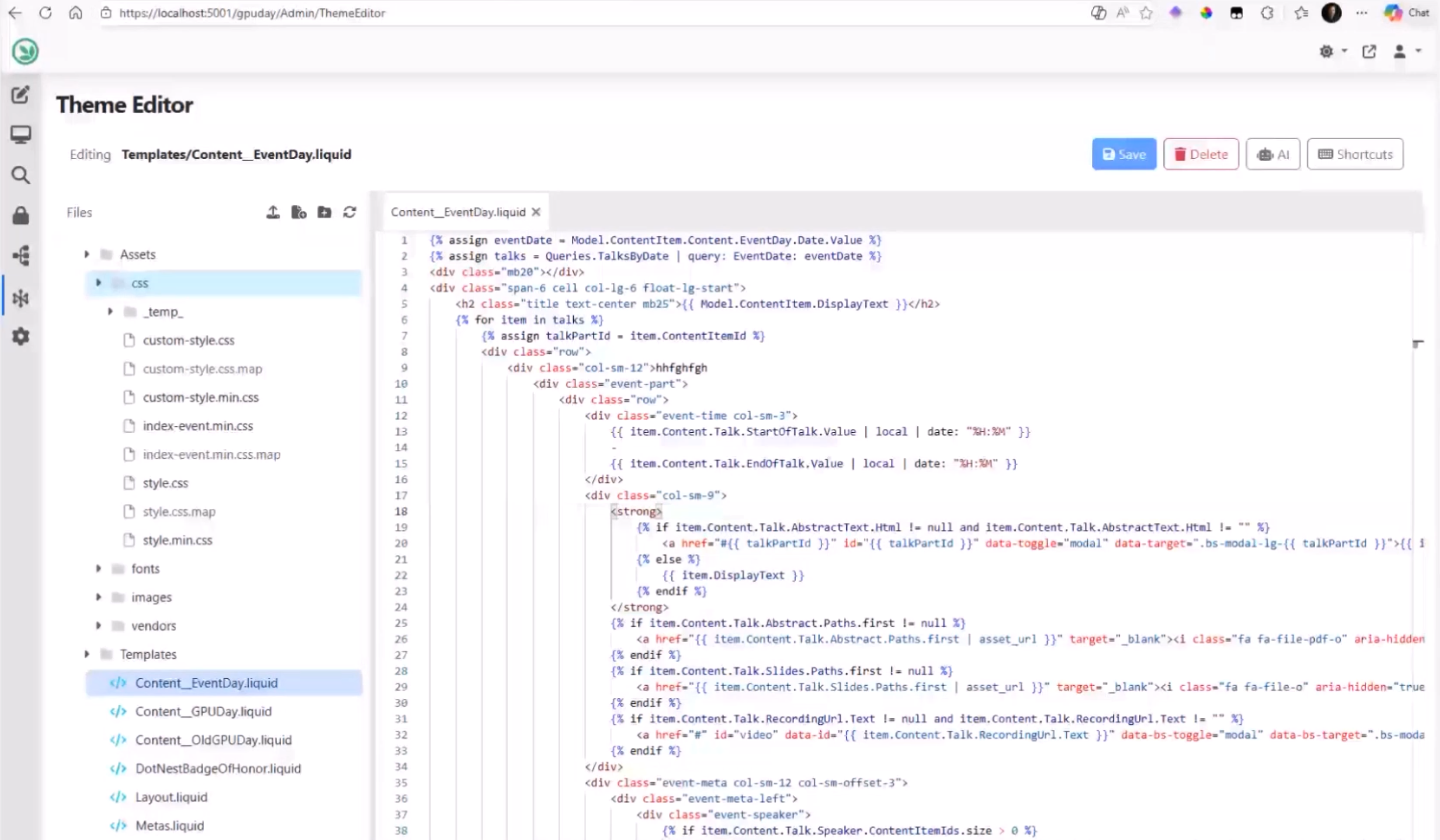
He also started to integrate AI into this editor. If you click on the AI button between Delete and Shortcuts, a new Theme Editor AI section will open where you can enter prompts, like "Please implement the detail and summary shapes of the Talk content type". Here, you can see the capabilities defined for the created profile, ThemeEditor.OpenAI, where you can see what features the AI can access.
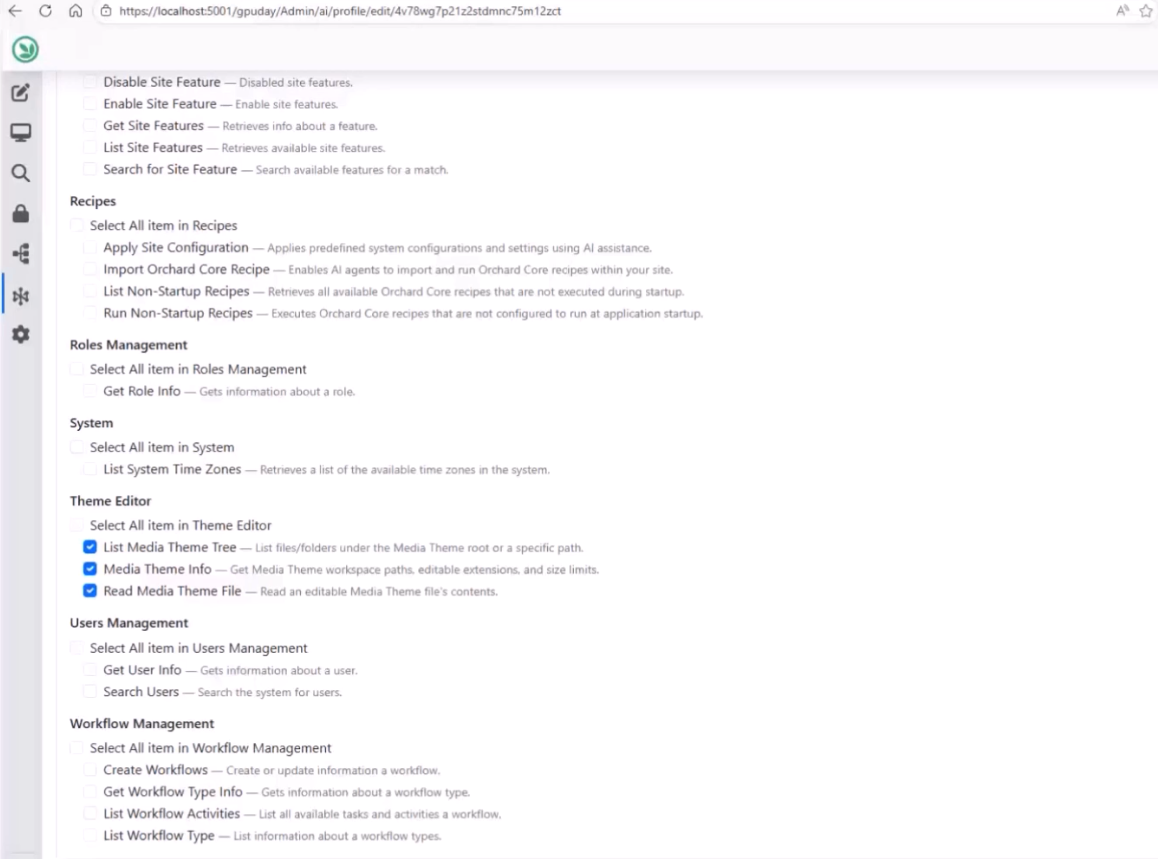
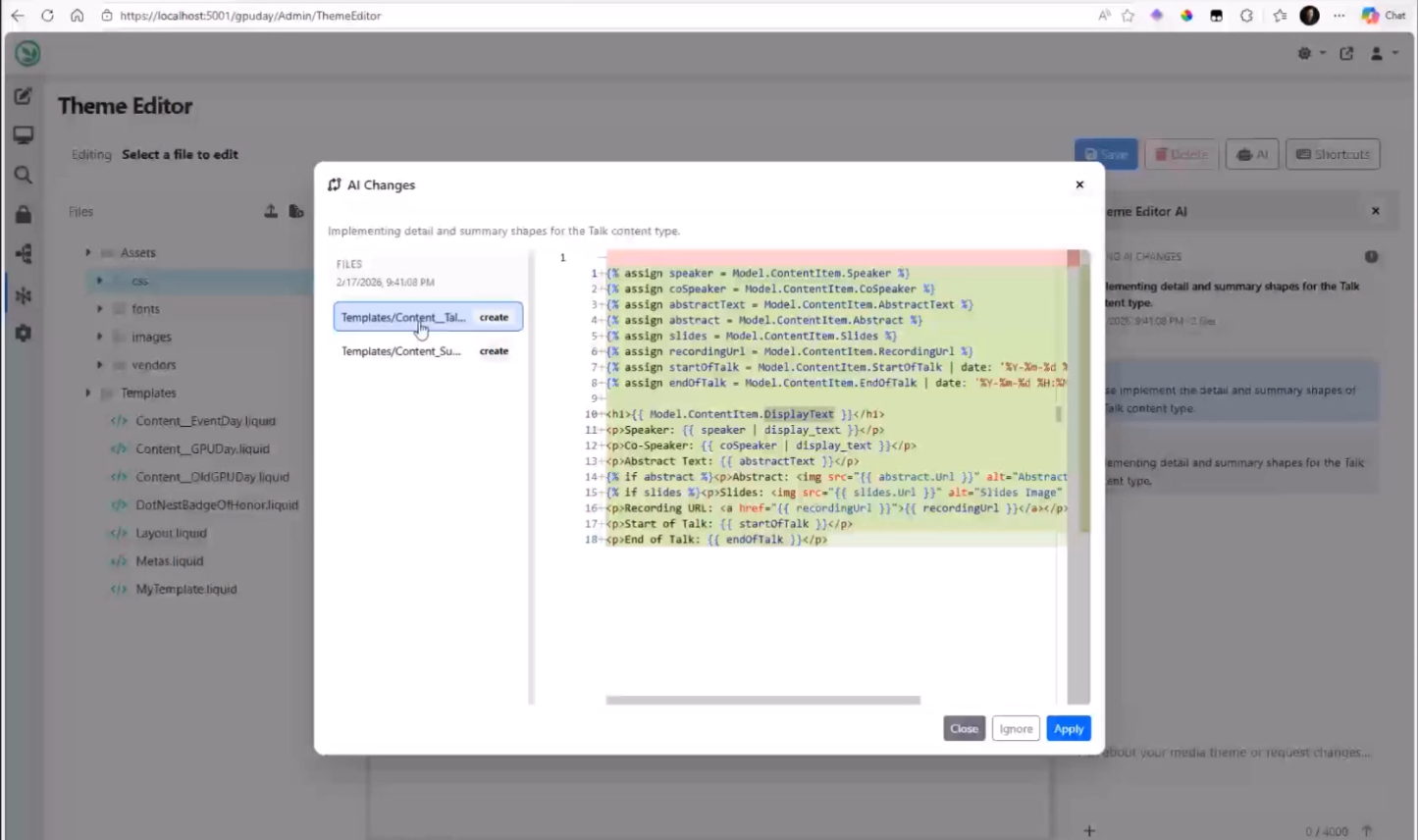
So, it can act as an agent, create or edit files, and you can review the changes. You don't need to accept these changes right away; they will be persisted in the DB. And once you review them, you can hit the Apply button. It means that these files will also be available in this IDE, and you can save them; the changes will be applied automatically.
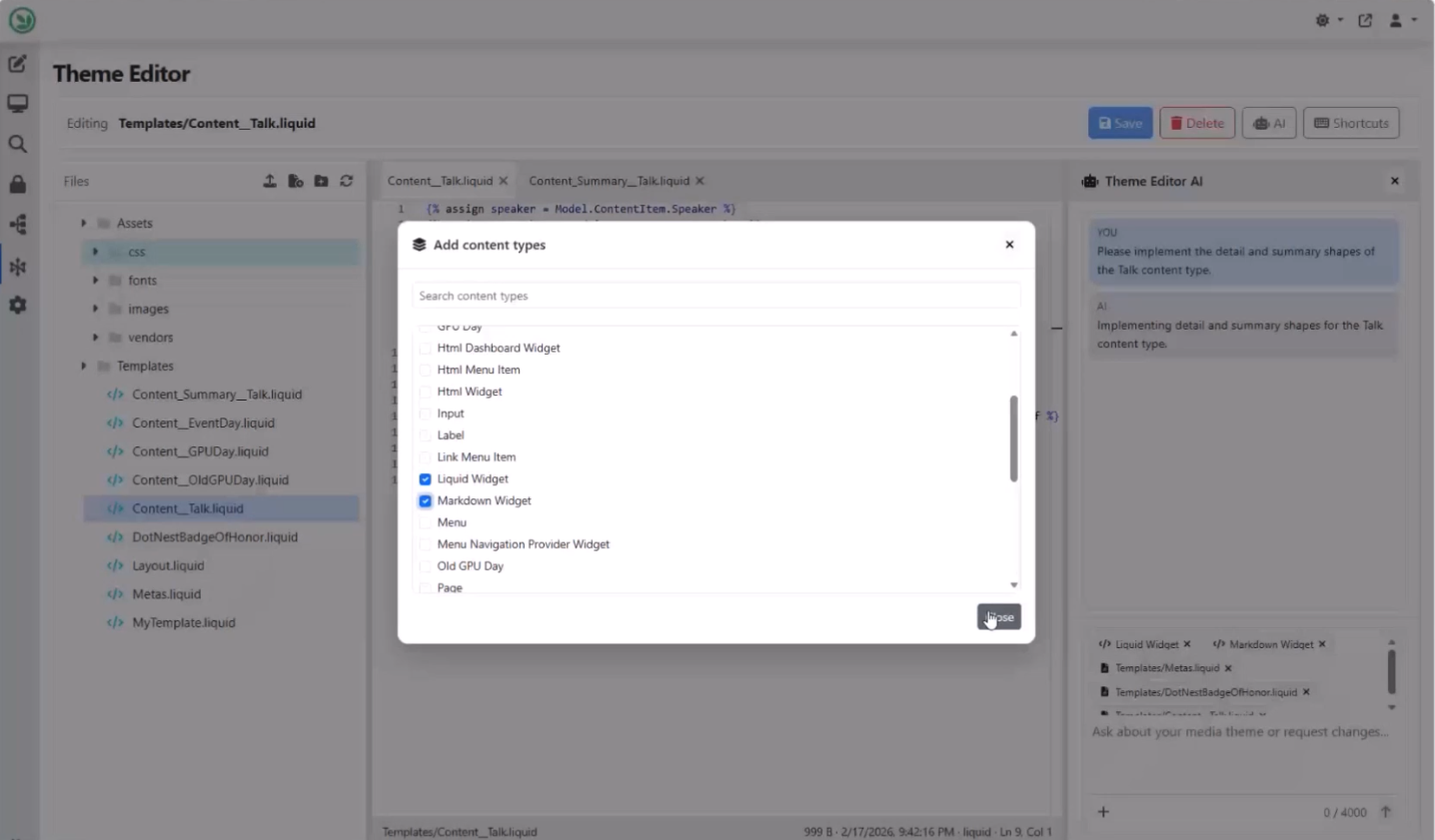
As with Copilot, you can include specific files in the context and add content types. Once you execute a new follow-up prompt, it will include all these and give you access to them as well.
And that's still not all of it! If you want to learn more about this feature, head to YouTube for a recording!
News from the community
Orchard Harvest 2026 survey results
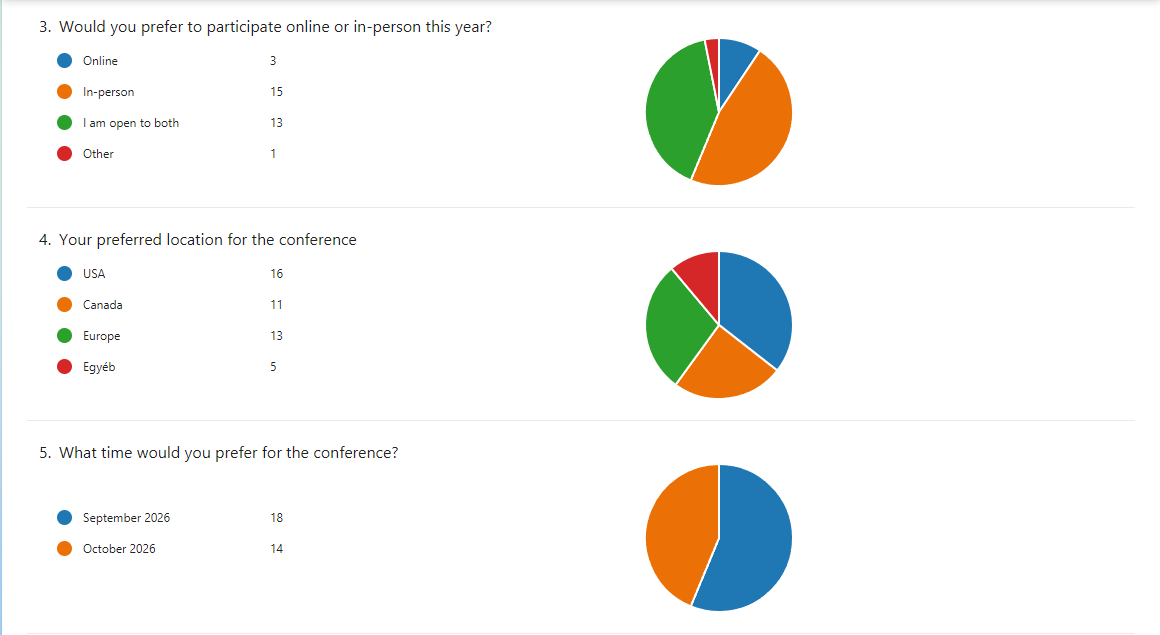
After last year, the Orchard Harvest Conference will be held again in 2026. The first step was to assess the potential interest and what would be needed. We created a survey, and now we have the results! Thank you for your feedback so far regarding Orchard Harvest! We have received many responses, which have helped us get a better idea of the right place and time. Please keep in mind that these are just preliminary results and haven't led to any specific outcomes yet.
It seems that most respondents are open to an in-person conference this year, with the USA receiving the most votes for location, followed by Europe and Canada, though the differences in votes were small. But a significant portion of respondents expressed reluctance to attend in the US; half of the 32 respondents did not want to go to the US, and some provided comments to that effect.
During our weekly meeting, some attendees suggested that future surveys should list specific cities rather than countries to avoid ambiguity, as the size of the US and Canada makes country-level choices insufficient for planning. So, we discussed potentially creating a new questionnaire listing a limited set of candidate cities in Canada, North America, and Europe, allowing participants to rank their preferences to achieve a more democratic and actionable outcome. Whatever the next step will be, as we move forward, we will keep community members informed of the details, and you will also find every detail in this newsletter.
Orchard Dojo Newsletter
Lombiq's Orchard Dojo Newsletter has 424 subscribers! We have started this newsletter to keep the Orchard community informed about the latest news on the platform. By subscribing to this newsletter, you will receive an email whenever a new post is published to Orchard Dojo, including 'This Week in Orchard', of course.
Do you know of other Orchard enthusiasts who would like to read our weekly articles? Tell them to subscribe here!